


After calculating the results, the table contains further subcategories for the Timber Design.
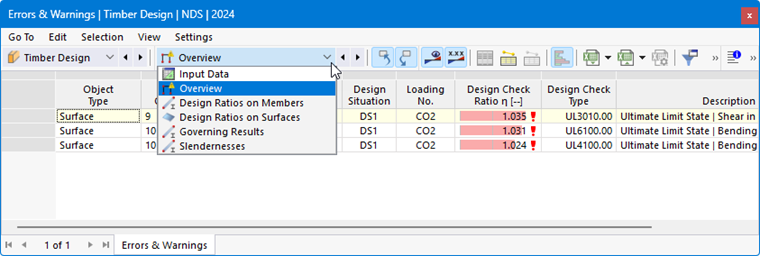
These categories with their respective worksheets are described in the following chapters:
Result Table Manager
Click the
 button to open the “Result Table Manager” dialog box. There, you can control which tables and tabs are displayed. You can also select which rows and columns are visible in each table.
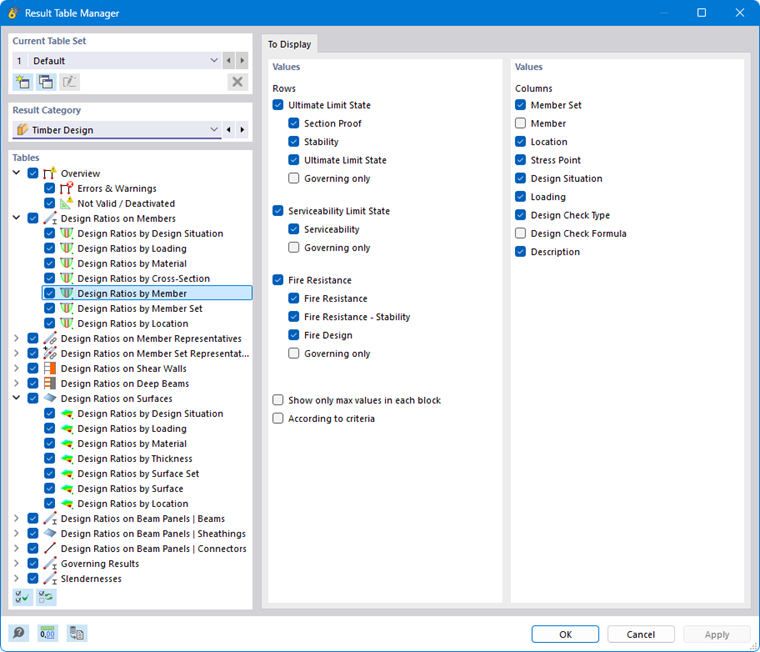
The chapter Design Ratios on Members briefly shows how to use the result table manager for the evaluation. The general features are described in the chapter Filtering Result Tables of the RFEM 6 manual.
Buttons in Table Toolbar
The toolbar in the result tables contains buttons that you can use to display and analyze the results.

|
Select an object in graphic |

|
Design check details |

|
Result diagrams in a section |

|
Result diagrams in a surface point |

|
Material information |

|
Cross-section information |

|
Charring depth-time diagram |

|
Result Diagrams dialog box |

|
Result filter for ultimate limit state design |

|
Result filter for serviceability limit state design |

|
Result filter for fire resistance design |