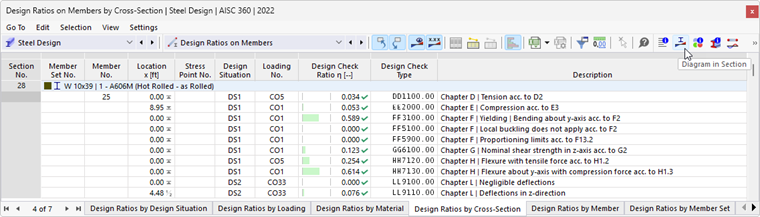
The Result Diagrams in Section display the results at the stress points of the cross-section. To access this display, click the
 button. It is available in the result tables of the “Steel Design” category for member objects, but not for surfaces.
The "Result Diagrams in Section" window appears. The graphic shows the stress state that exists for the result of the current table row.
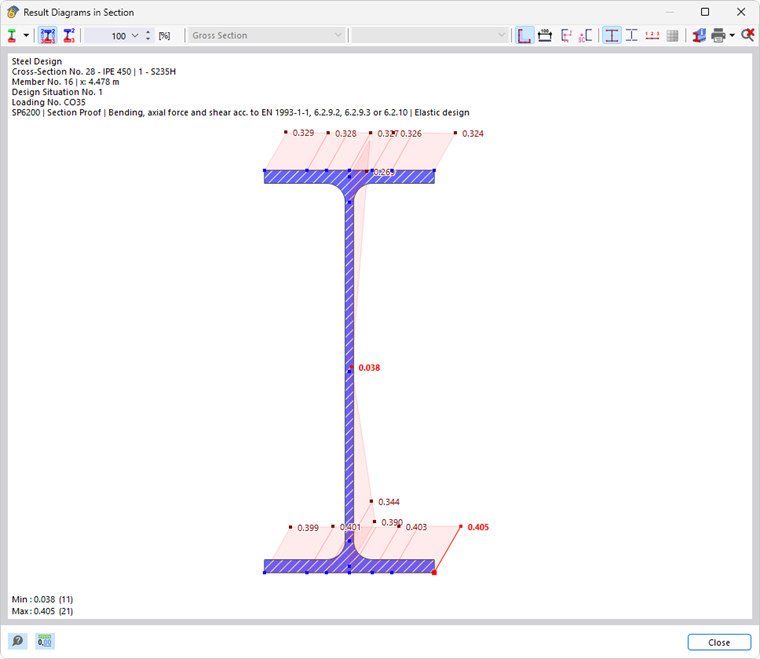
You can control the graphic as usual with the mouse, for example, to zoom. The features are described in the chapter Graphic Control of the RFEM manual.
The result display can also be customized using the buttons in the toolbar. They are assigned the following features:
| Button | Function |
|---|---|

|
List button with selection options for result types |

|
Show or hide the values in the stress points |

|
Show only the extreme values of positive and negative results |

|
Enable scaling the result diagrams by a factor in [%] |

|
Show or hide the cross-section contour |

|
Show or hide the dimensions |

|
Show or hide the axis system |

|
Show or hide the shear center |

|
Show or hide the stress points |

|
Show and hide the c/t parts (single panels) |

|
Show or hide the numbering of the stress points |

|
Show and hide the FE mesh |

|
Open the “Information About Section” window |

|
Enable printing the current display |

|
Display the full view of the result diagrams |
Result Types
Use the list button
to select which results are to be displayed in the cross-section. Depending on the design, the following options are available:
- Diagram of design ratios
- Stresses
- Unit stresses
- Strains
- Unit strains
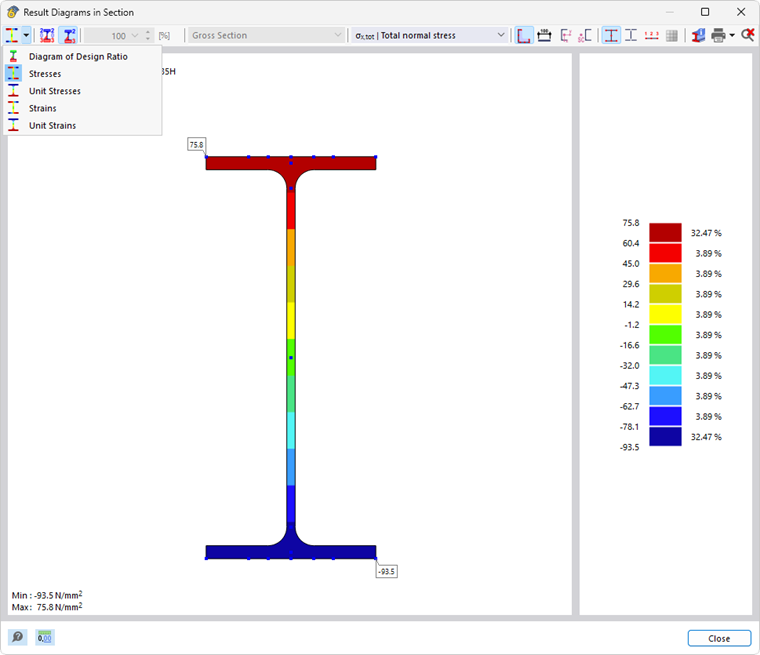
Depending on the existing stress, you can display different results in a cross-section. Use the options in the menu bar for this purpose.
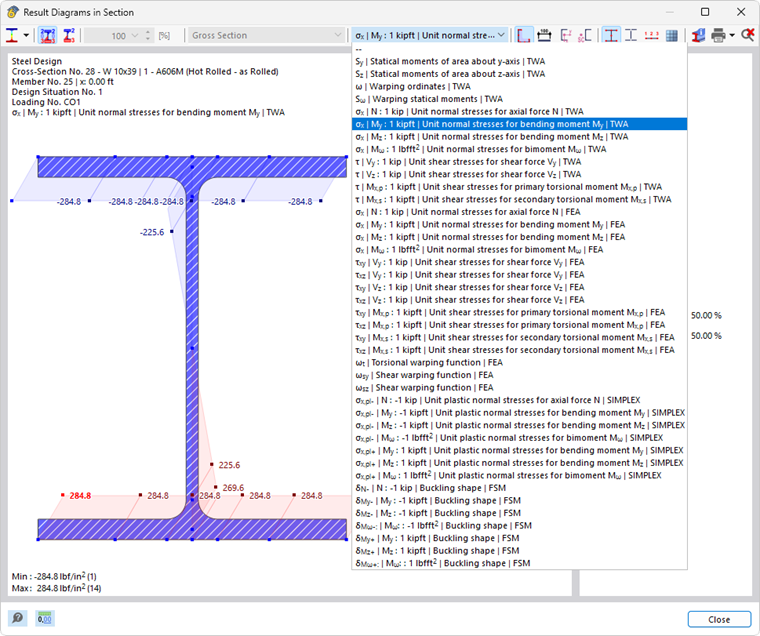
The term TWA stands for a result from a thin-walled cross-section calculation, FEM for a cross-section calculation with finite elements. The method specified for the cross-section is used for design (see the chapter Cross-Sections).
The addition FSM for buckling modes refers to results based on the finite strip method (see the technical article Linear Critical Load Analysis Using Finite Strip Method).
Results of the finite element calculation are always displayed as color gradients directly on the cross-section. Results of the thin-walled analysis and the design ratio, on the other hand, are displayed as distributions at the stress points.
Elastic Stress Distribution
When displaying the stresses for the internal forces available in the corresponding design, note that the stresses are always calculated with an elastic distribution. In the case of a plastic cross-section design, the displayed stresses only represent additional information and are not used for the design. A plastic stress distribution in the cross-section cannot be calculated at the moment.
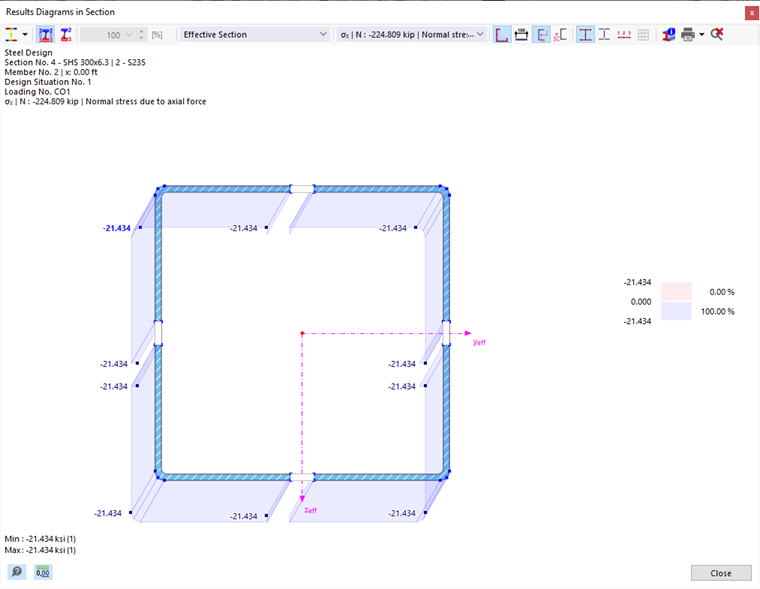
Stresses in Effective Section
If the stress determination for the selected design is carried out on an effective cross-section (for example, for a cross-section of Class 4 as per Eurocode 3), you can distinguish between the display of the stresses in an effective section and on a gross section in the selection list.
Graphic Printout
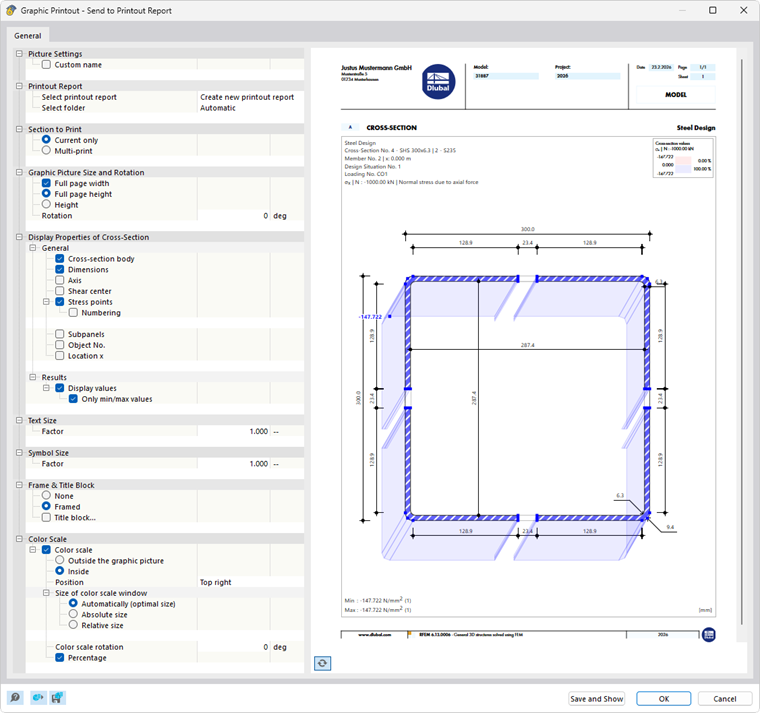
Using the options in the list button
, you can print the current graphic directly, save it as a PDF, or transfer it to a printout report. The details to be displayed can also be specified in the print preview.