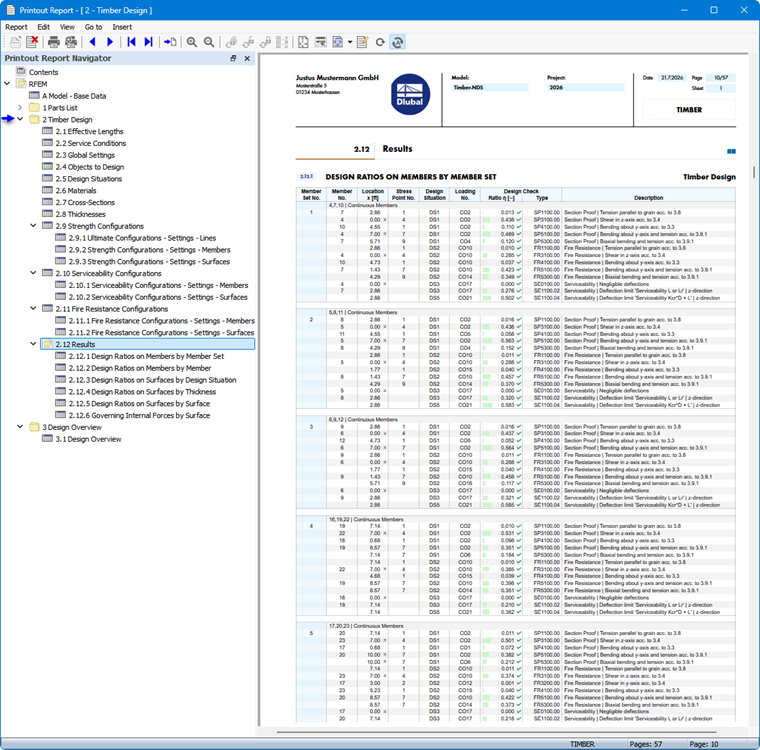
The Printout Report Manager lists all timber design tables available for selection, which are also displayed in the program interface.
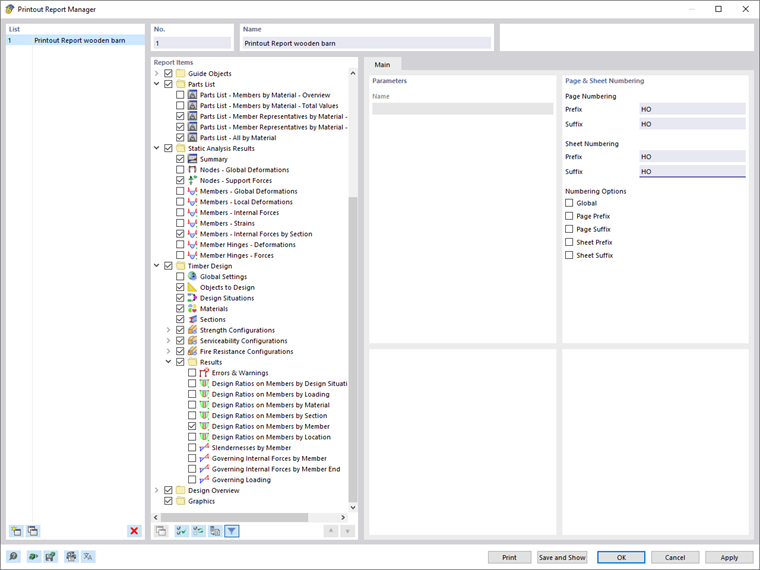
Use the check boxes to select the tables you need for your documentation.
The filter options provide another way to customize the output in tables. The results can be filtered according to specific criteria:
- Object filter by number or object selection
- Result filter with the same filtering options as in the Result Table Manager
- Design criterion filter using “Result filter from current table set” (see Filtering Results by Design Ratios)
- Integration of intermediate results with selection options in a separate tab
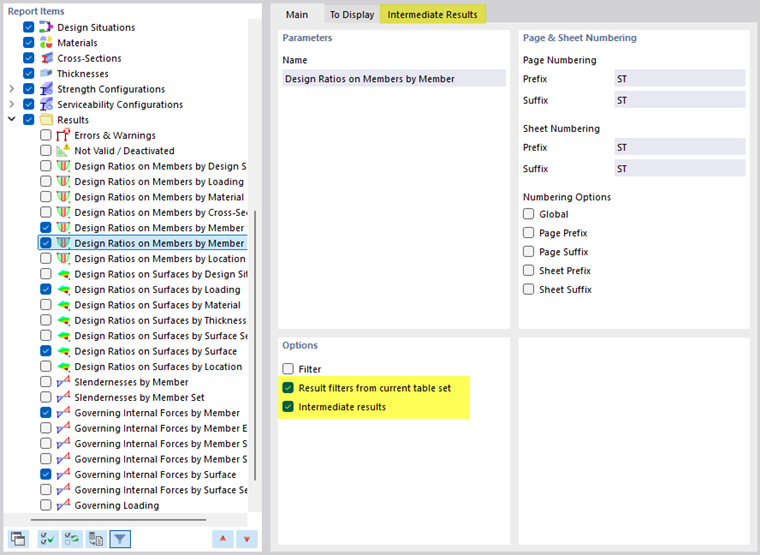
You can also include the design check formulas with the design check details in the printout report. To do this, use the corresponding option in the list button
 below the formulas in the Design Check Details dialog box (see the image Printing Design Check Details).
In the print preview of the printout report, you can review the data, arrange it as needed, and add graphics and text.