


In the Surfaces tab of the "Serviceability Configuration" dialog box, you define the limit values that apply to surface deflections.
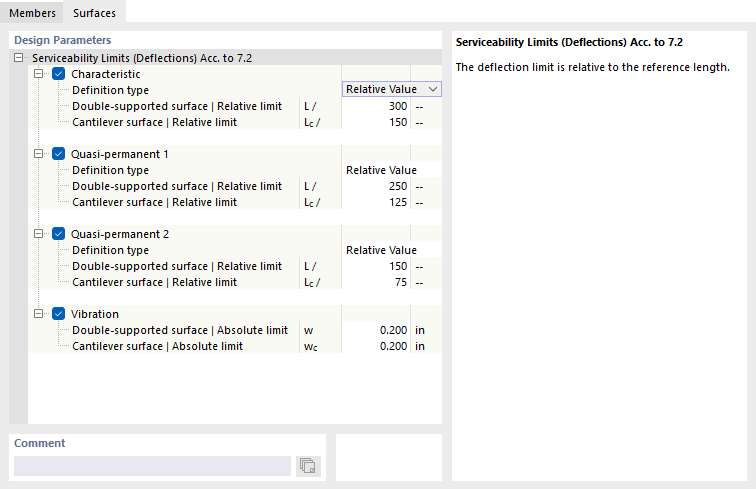
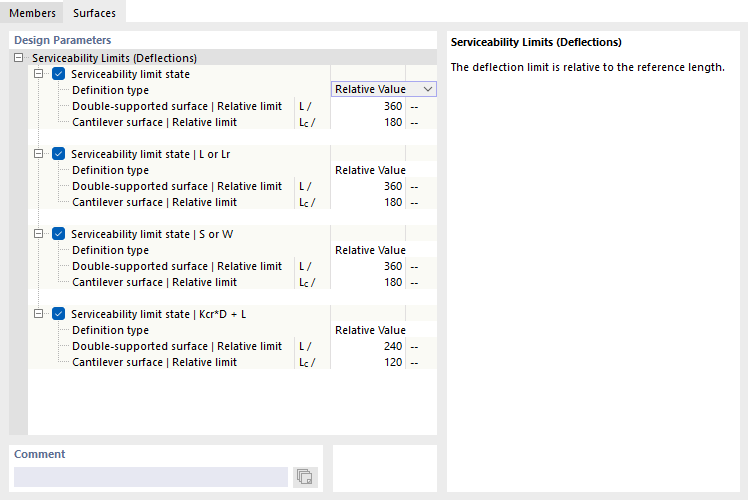
As with members, there are various design situation types for serviceability limit state design checks, which differ depending on the design standard. For each design situation type, you can specify specific limit values for deflections. These are related to the lengths of the structural components.
The list next to the “Definition type” contains several options for how a limit value can be defined (see the image Defining Deformation Reference):
- Relative Value: The limit value is defined in relation to the length of the surface.
- Absolute Value: The value of the maximum deflection is specified directly.
- Sum of Relative and Absolute Values: The limit value is the sum of the relative value and the absolute value.
- Min. of Relative and Absolute Value: The limit value is the smaller of the relative and absolute values.
- Max. of Relative and Absolute Value: The limit value is the larger of the relative and absolute values.
Depending on how the structural component is supported—a surface supported on both sides or a cantilevered surface supported on one side—different deflection limit values generally apply. This support condition, referred to as the “surface type,” should be defined in the properties of the surface or surface set in the Deflection tab. There, you can also specify whether the maximum displacements refer to the undeformed structural system, a deformed reference plane, or a parallel surface, and define how the reference length should be determined. For flexible supports, such as a ceiling beam, the deformation analysis can be performed using a result beam (see the chapter Design Supports and Deflection).
If necessary, adjust the preset limit values for the deformation analysis of the objects.