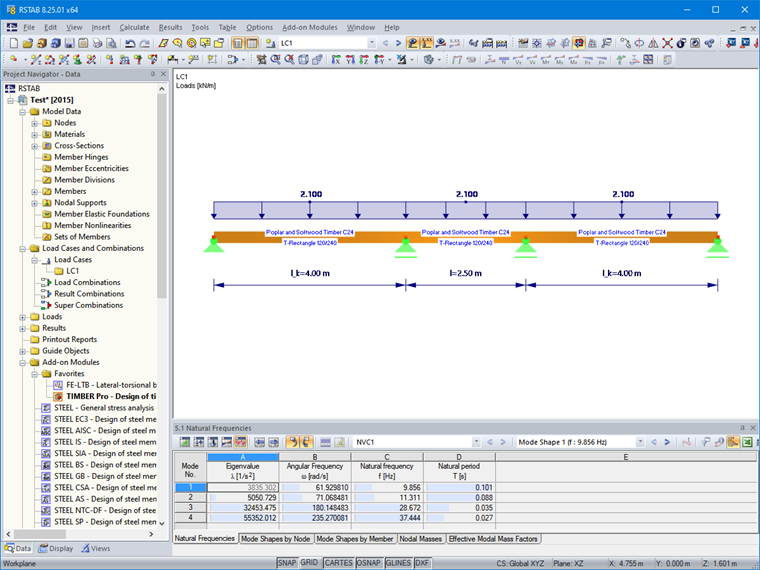
In the Main tab of the “Serviceability Configuration” dialog box, you define the limit values that apply to the deflections of the members and member sets.
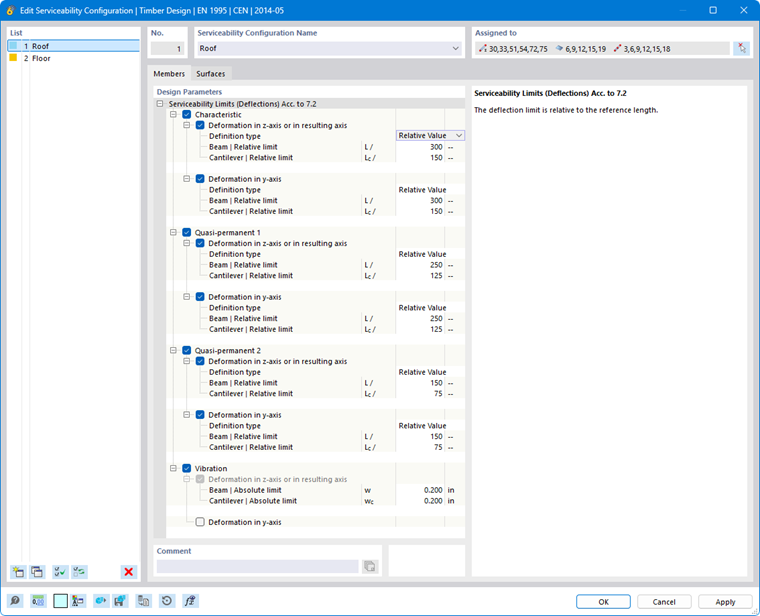
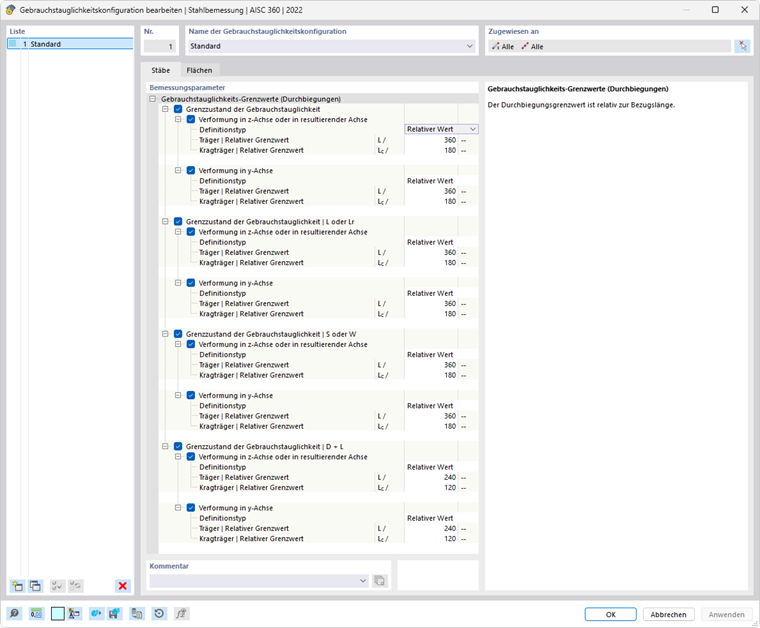
The “Design Parameters” are divided into categories. They vary depending on the design standard.
Serviceability Limits
There are various design situation types for serviceability limit states (see the chapter Design Situations of the RFEM manual). For example, in the design according to EN 1995-1-1, a distinction is made between the characteristic combination and two quasi-permanent combinations. For NDS, there are four preset types: The first limit state is of a general nature and applies to all load combinations. The other three types are based on the IBC standard [1]. For each combination type, you can specify specific limit values of allowable deflection, which apply to the directions of the member axes, respectively.
The limit values of allowable deflection are, in principle, related to the lengths of the structural components: The longer a structural component is, the greater the allowable deflection. In the list next to the “Definition type,” you can select in which way you want to define the limit value.
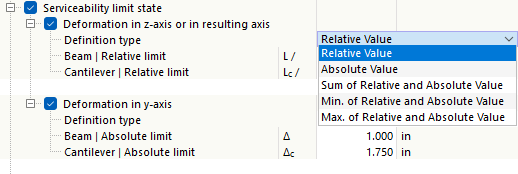
- Relative Value: The limit value is defined in relation to the length of the member or member set.
- Absolute Value: The value of the maximum deflection is specified directly.
- Sum of Relative and Absolute Values: The limit value is the sum of the relative value and the absolute value.
- Minimum of Relative and Absolute Values: The limit value is the smaller of the relative and absolute values.
- Maximum of Relative and Absolute Values: The limit value is the larger of the relative and absolute values.
Depending on how the structural component is supported—a “beam” supported on both sides or a “cantilever” supported on one side—different deflection limit values generally apply. The type applicable to a specific segment is automatically determined based on the assigned design supports: A segment with design supports on both sides or without any design supports is classified as a beam, while a segment with a design support on one side is classified as a cantilever. You can define the design supports in the Design Supports and Deflection tab for members and member sets.
If necessary, adjust the default limit values for the objects’ deformation analyses.
If precamber (pre-deformation of the structural component during installation) is to be considered in the deformation analysis, you can specify this precamber in the properties of the structural component or member set (see the chapter Design Supports and Deflection). There, you can also specify whether the maximum displacements refer to the shifted segment ends or to the undeformed initial system.
Vibration (for EN, NTC)
The ‘“Vibration” category allows you to easily check the deflection for the vibration analysis with reference to a vibration amplitude. For this analysis, all design situations with the SLS - Vibration type assigned in the Design Situations table are taken into account. It is assumed that these are corresponding load combinations or result combinations that contain the maximum values of the vibration amplitudes in the form of deflections. These are compared with the limit value in the respective axial direction.