


The standards describe how the actions are to be combined. EN 1990, for example, requires the design of the ultimate limit state and serviceability limit state, for which certain combination rules apply. ASCE 7 gives specifications for combining load cases for both the strength design and allowable stress design. These limit state rules or design strengths can be analyzed in design situations (DS).
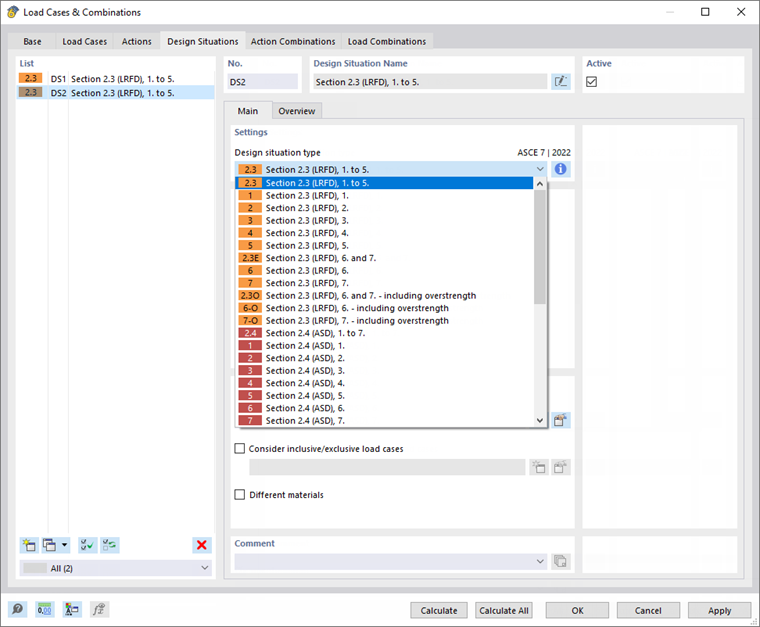
For EN 1990, one ultimate limit state and three serviceability limit state design situations are preset; for ASCE 7, two design situations are preset for "strength design" and "allowable stress design".
The Active check box controls whether the design case selected in the list is analyzed during calculation. This way, you can exclude design situations from the calculation that are not relevant for the model.
You can use the
 button at the end of the "List" to add a new design situation.
Main
The Main tab manages the general specifications of the design situation selected in the "List" to the left.
Settings
The "Design situation type" determines the specification according to which the load cases are combined in the superposition. The options are aligned with the standard (see the image above).
You can use the
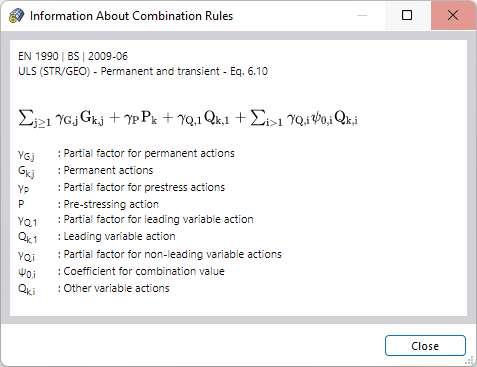
 button to check the combination rule of the design situation.
Options
Define the combination wizard that is to be used for superimposing the load cases. By default, RFEM creates load combinations that are calculated according to the second-order analysis. The combination wizards are described in the chapter Combination Wizards.
The Consider inclusive/exclusive load cases check box provides the option of applying mutual dependencies between load cases. You can define the criteria in a separate dialog box (see the chapter Load Case Relations).
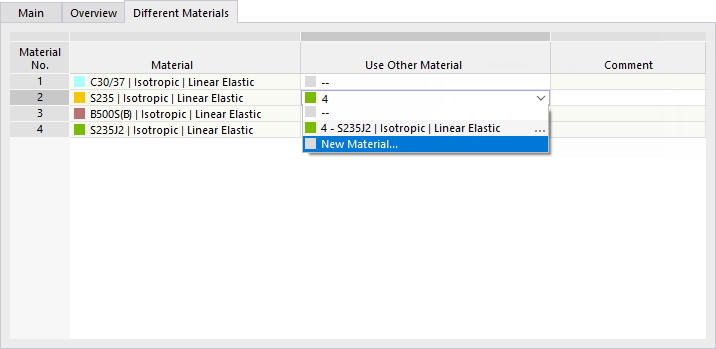
When you select the Different materials check box, a new tab is added. There you can replace a material with an alternative material for the selected design situation. This is useful if you are using different stress-strain diagrams for the ultimate and serviceability limit states, for example.
Overview
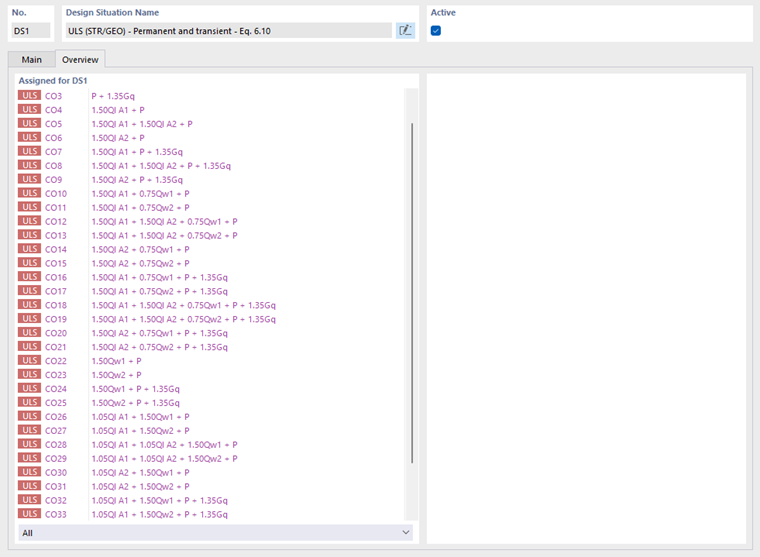
The Overview tab lists all load combinations of the design situation, including partial safety and combination factors. Thus, a design situation corresponds to an envelope that includes the most unfavorable constellations of all contained load combinations.

