For a load case of the "Modal Analysis" type, you can define another load case whose stiffnesses represent the initial position for the dynamic analysis. To do this, activate the Consider initial state check box and select the load case from the list.
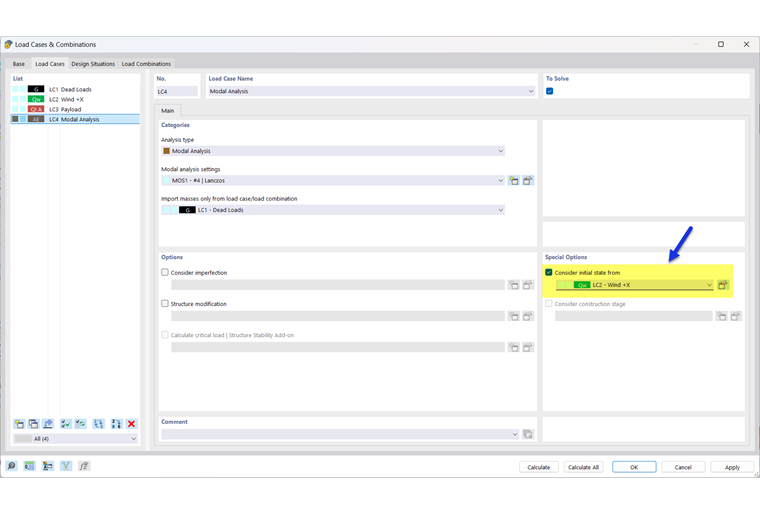
The
 button to the right of the list opens the "Initial State Settings" dialog box (see the image Defining Type of Initial State). Define the type of the initial state here (only the "Stiffness" type is currently available).
The “Consider Initial State” function is described in general terms for load cases in the chapter Load Cases of the RFEM manual.
Examples
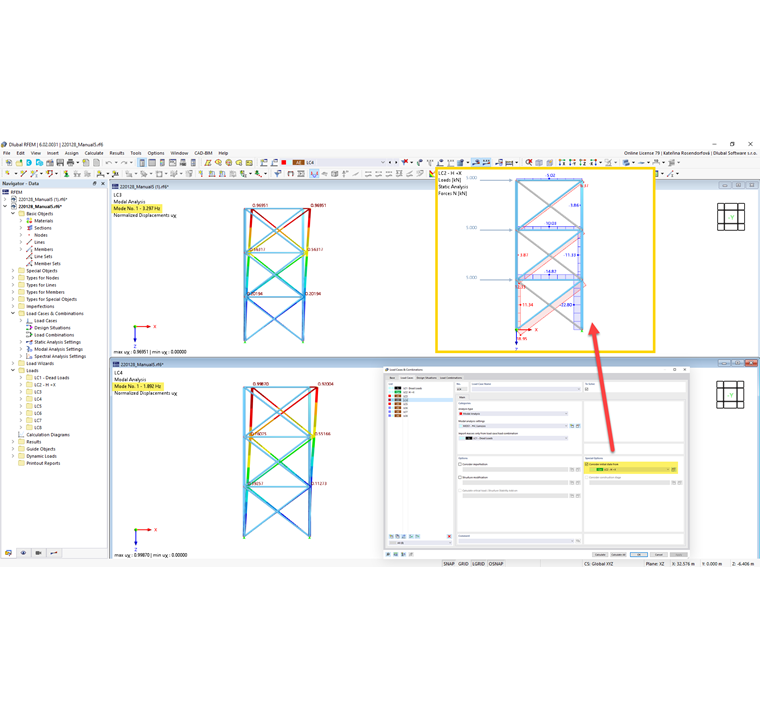
- By considering an initial state, you can determine the stiffness of a model if tension members fail in a load case, for example. The stiffness from this load case—that is, the "residual model" without failed tension members—is then used in the modal analysis. The softer system has a corresponding effect on the eigenvalues.
- The model contains a nodal support whose support conditions are described by a diagram with nonlinear properties. The following scenarios are possible:
- If no initial state is assigned, the stiffness is calculated according to the linear definition.
- If an initial state is assigned, the stiffness is determined by linearizing the diagram at the time of the initial state (tangent stiffness).