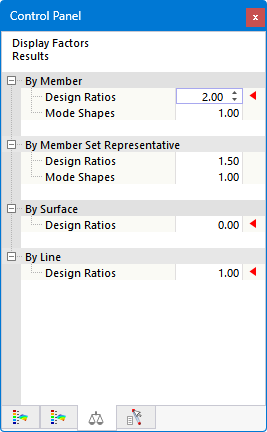
The evaluation and documentation of the design results are primarily presented graphically. In the work window, you have the same selection options and options for #/en/downloads-and-information/documents/online-manuals/RFEM 6/002205 result evaluation as you do for the structural analysis. For example, you can use visibility settings for members and result sections for surfaces.
Navigator – Results
The Navigator – Results is tailored to the design add-on for displaying the various result types on the model. The timber design checks are managed under the Timber Design result type in the Navigator list.
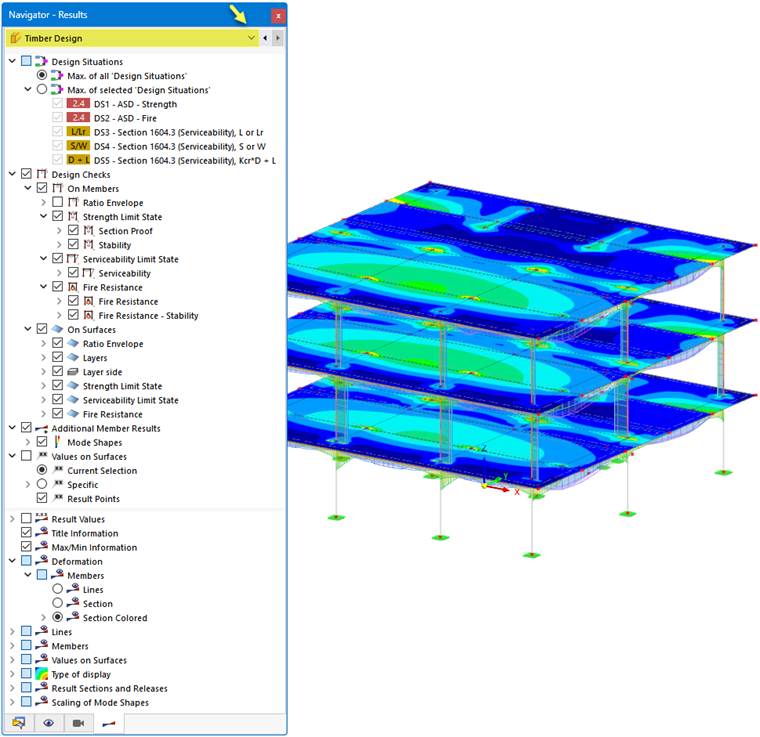
In the Design Situations category, you can specify whether the maximum results from all design situations (the “envelope”) or the maximum values from specific design situations should be displayed.
In the Design Checks category, select the result type for members or surfaces. Multiple selections are possible; the selected results are then displayed simultaneously on the model (see the image Displaying Multiple Result Types).
The Additional Member Results category allows you to display the mode shapes on the model. In the Values on Surfaces category, you can define the result values to be displayed on the surfaces (see the chapter Result Values on Surfaces of the RFEM manual).
In the lower section of the navigator, you will find additional setting options. For example, you can show or hide the result values or result sections. The categories Deformation and Members provide important control options for displaying the result diagrams and the displayed values (see also the images in the chapter Design Checks).
Control Panel
The control panel is also adapted to the results of the timber design. There, you can adjust the colors of the result diagrams. This may be necessary if you want to display multiple result types.
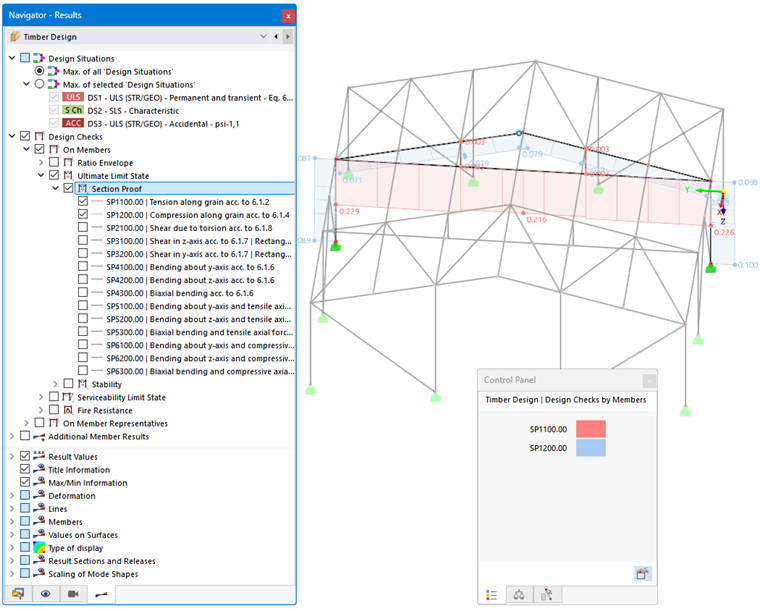
With user-defined color scales, you can also define value ranges for the graphical results.
Furthermore, in the control panel—as you are familiar with from the static analysis—you can scale the resultFactorsTab factors of the result diagrams or specify certain objects for displaying results.