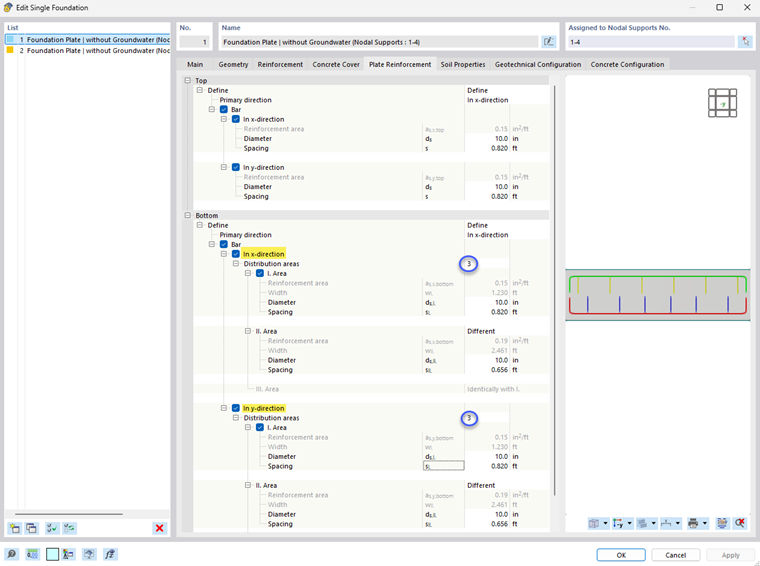
If you have selected the Rebars type in the Reinforcement tab, you can only define rebars for the plate reinforcement here.
In the “Define” list, you have several options for the top and bottom sides:
- Define reinforcement manually
- RFEM defines the reinforcement automatically (in preparation).
- Deactivate reinforcement
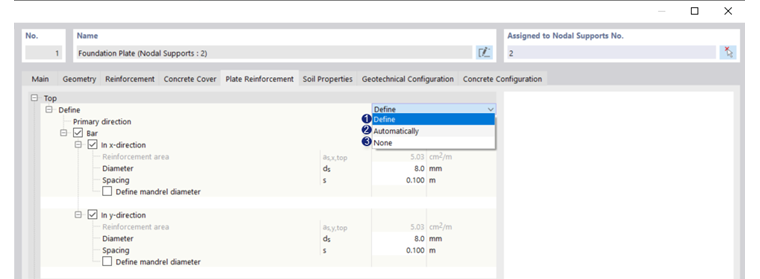
Rebars Top
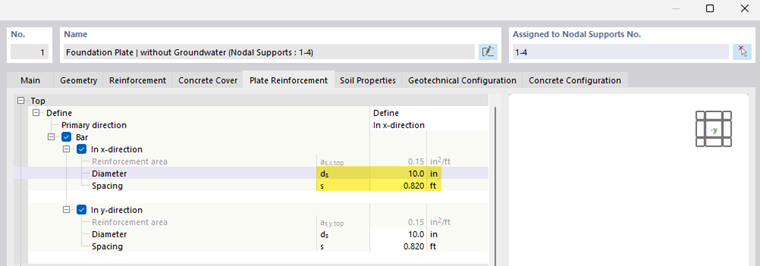
If you define the rebars manually, enter the diameter and spacing. You can deactivate a reinforcement direction by deactivating the corresponding button.
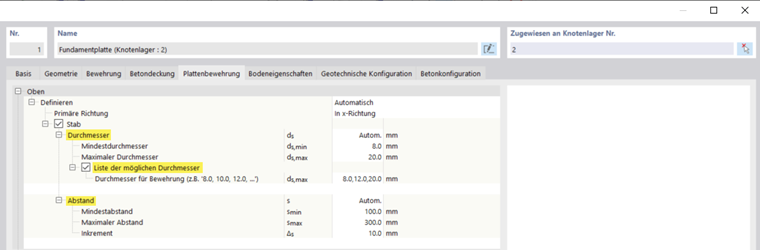
If the reinforcement is defined automatically (in preparation), you can
- Specify the maximum and minimum diameters, and
- Specify a list with various diameters.
RFEM selects the suitable diameter.
Rebars Bottom
For each direction (x- and y-direction), you can specify whether the member reinforcement is divided into one or three distribution areas (see the chapter Distribution Areas). For each distribution area, you need to enter a diameter and a spacing. The first and third distribution areas can either be identical or defined separately.