


In the Base tab, you can specify the foundation type and material, as well as activate the design properties.
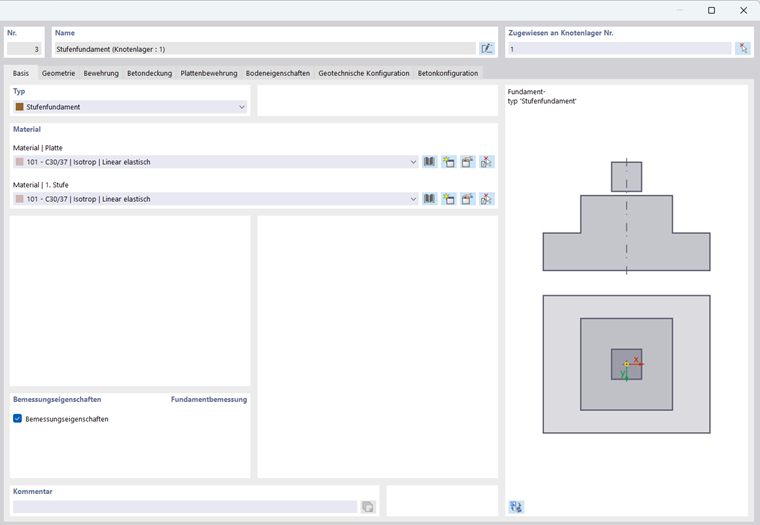
Type
Select the Stepped foundation with the appropriate reinforcement variant in the list:
- Stepped foundation
- Stepped foundation | Unreinforced
The preview graphic on the right shows the stepped geometry in side and plan views.
Material
In this section, specify which concrete material the Slab and the 1st step consist of. You can thus apply different concrete grades for floor slab and step.
Design Properties Foundation Design
Check the Design properties check box to activate the design of the stepped foundation. You can then define the parameters in the other tabs. If the check box is not selected, you can only model the foundation geometrically but not design it.