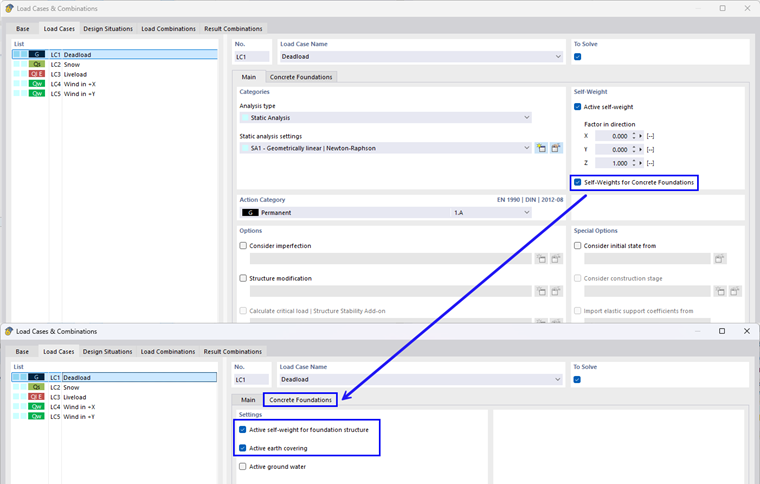
In the Soil Properties tab, you can enter the basic parameters for soil modeling. These settings apply regardless of whether the subsoil is defined as single-layered or multi-layered.
Subsoil
In this section, you can manually define specific soil properties. The input options include:
Soil conditions
In the list, you can select between drained and undrained soil conditions.
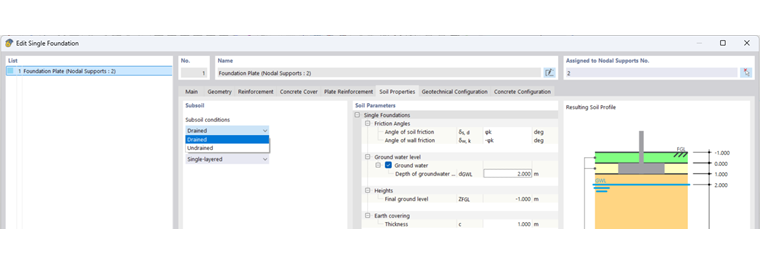
Definition Type
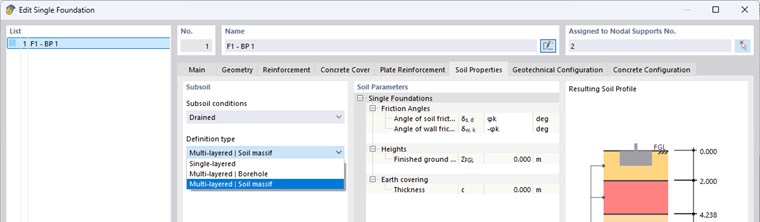
The definition type determines how the soil structure is modeled for the geotechnical analysis. It is selected directly in the soil properties. The following variants are available:
- Single-Layered Soil: The subsoil consists of a single homogeneous layer. Parameters such as thickness and material are defined manually.
- Borehole: The soil layers are automatically taken from a stored borehole.
- Soil Massif: The soil layers are automatically taken from a stored soil massif so that the correct soil layer is automatically assigned to each foundation
Soil Properties
The following parameters describe the geotechnical properties of the soil and form the basis for the design of concrete foundations.
Friction Angle
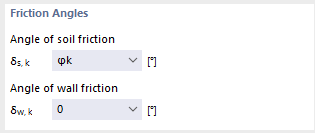
- Angle of soil friction δs,k
Here, you can define the friction angle between the foundation base and the soil. The following options are available for selection:
- φk for in-situ concrete foundations
- 2/3 φk for smooth precast foundations
- Angle of wall friction δw,k
The wall friction angle defines the friction angle for the side walls of the foundation. Options include:
- -φk: Raw foundation wall
- -2/3φk: Rough foundation wall
- 0: Smooth foundation wall
Ground Water
Depending on the definition type, the effect of ground water can be taken into account in two different ways:
- Single-layered soil: Activate the Ground Water button to consider the effect of ground water. It is necessary to enter the depth of the groundwater level in the dGWL text box.
- Multi-layered soil – Borehole/soil – Soil massif: The groundwater level is automatically taken from the borehole if the borehole contains the groundwater level.
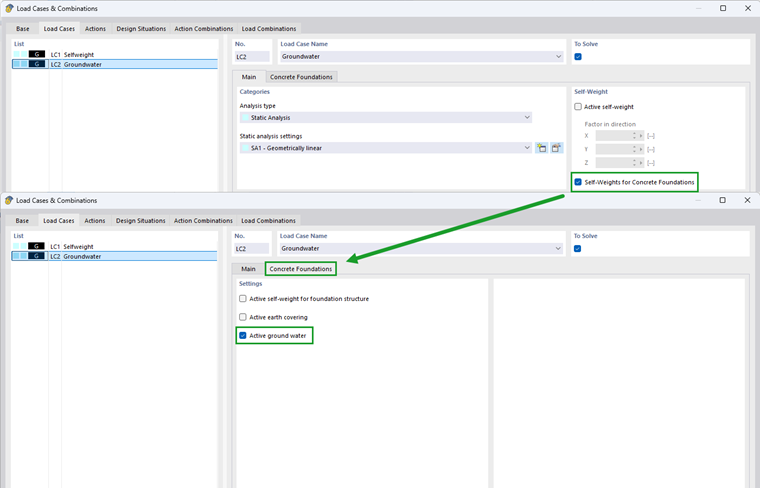
Earth Covering
Earth covering refers to a layer of soil or material above the top edge of the foundation.
- Single-layered soil: The thickness c is entered manually if earth covering is to be taken into account.
- Multi-layered soil – Borehole/Multi-layered soil – Soil massif: If the defined soil structure contains an earth covering, RFEM automatically calculates the efficiently covering thickness from the layer model. Manual input is not required here.