This manual describes the Timber Design add-on for the RFEM 6 and RSTAB 9 programs. Since the input and functions of the add-on are identical in both programs, the description refers to RFEM. The explanations for members also apply to RSTAB.
Activating Add-on
You can activate or deactivate the utilization of the design add-on in the Add-ons tab of the model's Base Data.
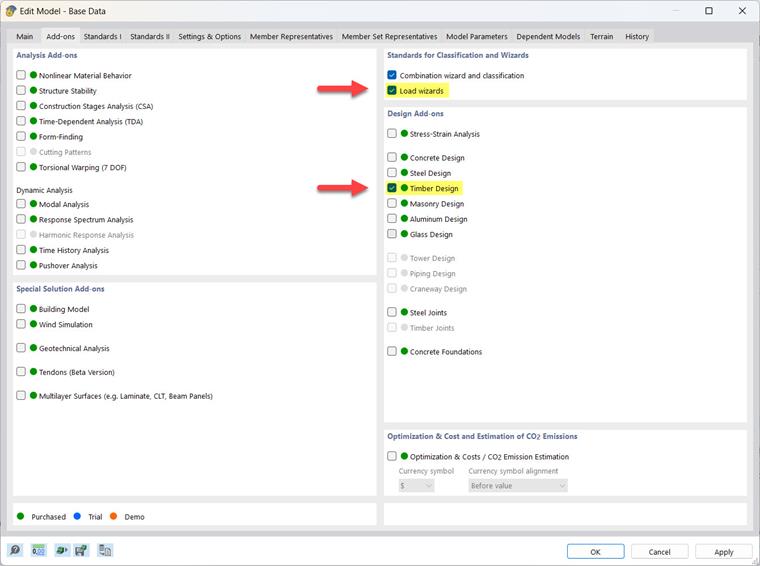
A green dot in front of the add-on name indicates that you have a license. An orange or blue dot indicates that you can only use the add-on as a demo or trial version, and its functionality is limited.
Specifying Standard
In the Standards I tab of the models' base data, you can select a standard and the National Annex to be used for the timber design (see also the chapter Standards I of the RFEM manual). The input dialog boxes of Timber Design are automatically adjusted to this standard.
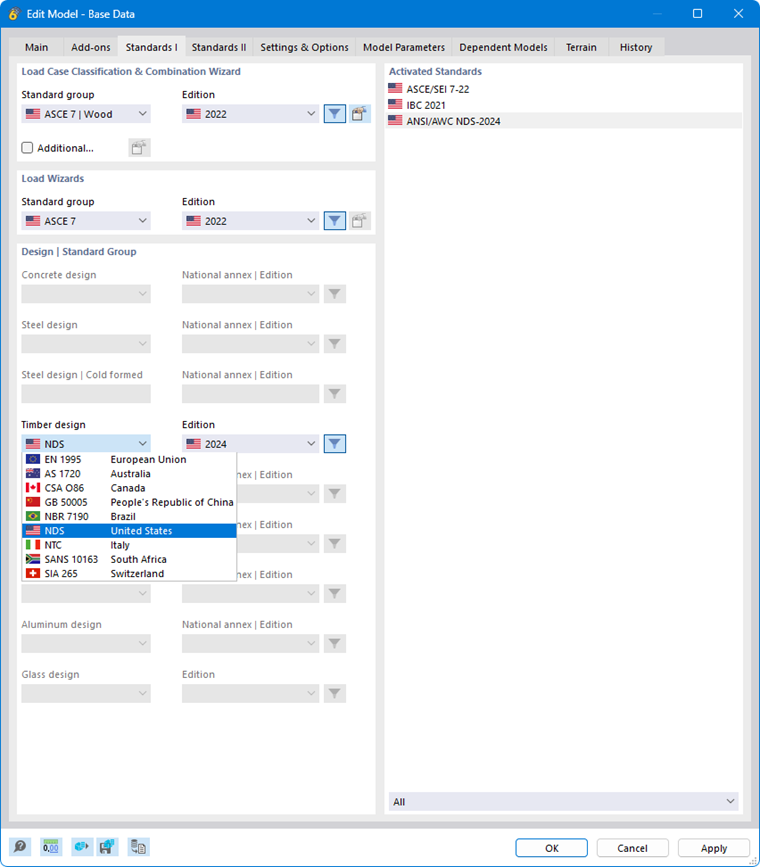
The currently available design standards and a summary of the functional scope can be found in the product description of Timber Design. The following list provides an overview of the elements that can currently be designed for the respective standard.
The following list provides an overview of the elements that can currently be designed for each standard.
| Standard | Members | Surfaces | CLT | Timber Materials | Thick-Walled I | Thick-Walled II | RSECTION |
|---|---|---|---|---|---|---|---|
| EN 1995 | XX | XX | XX | XX | X | - | X |
| SIA 265 | XX | XX | XX | XX* | X | - | X |
| NDS | XX | XX | XX | XX | - | - | - |
| CSA O86 | XX | XX | XX | - | - | - | - |
| GB 50005 | XX | - | - | - | - | - | - |
| AS 1720 | XX | - | - | - | - | - | - |
| NTC | XX | XX | XX | XX | X | - | X |
| NBR 7190 | XX | - | - | - | - | - | - |
| SANS 10163 | XX | - | - | - | - | - | - |
| Abbreviation | Description |
|---|---|
| XX | Cold-state design and fire resistance design (cold-state design for members of all allowed cross-section types; fire resistance design for members only for rectangular and circular cross-sections) |
| XX* | Cold-state design; fire resistance design currently only for surfaces |
| X | Cold-state design only |
Standards for Timber Design and Creep Coefficient
When performing timber design, it is important to select the appropriate standard group in the “Load Case Classification and Combination Wizard” section: Always select the option labeled Timber to ensure that the serviceability limit state design is performed correctly. If this is not the case, an error message will appear.
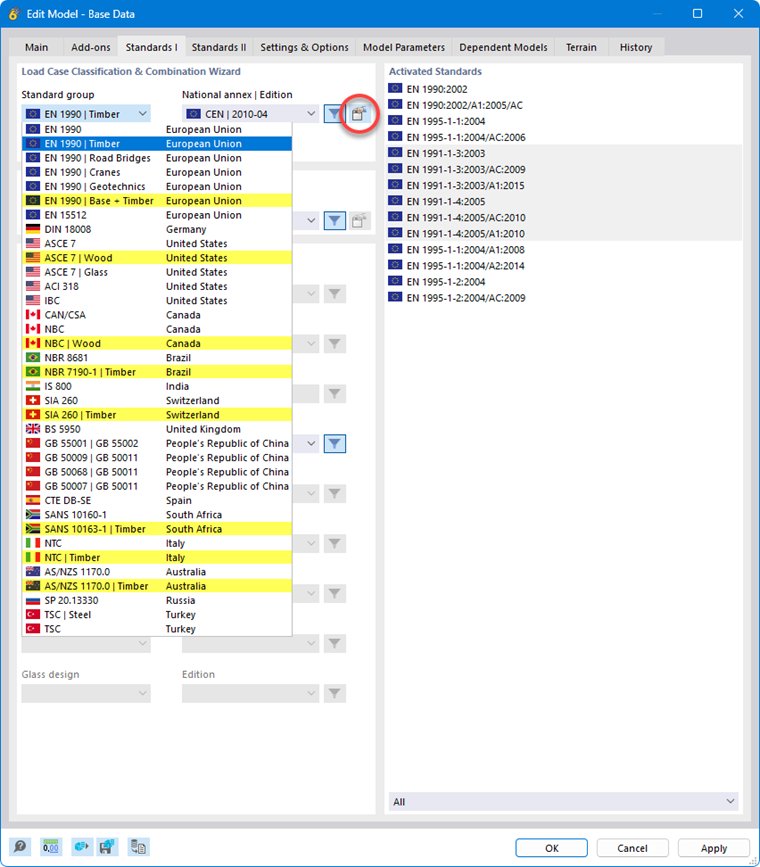
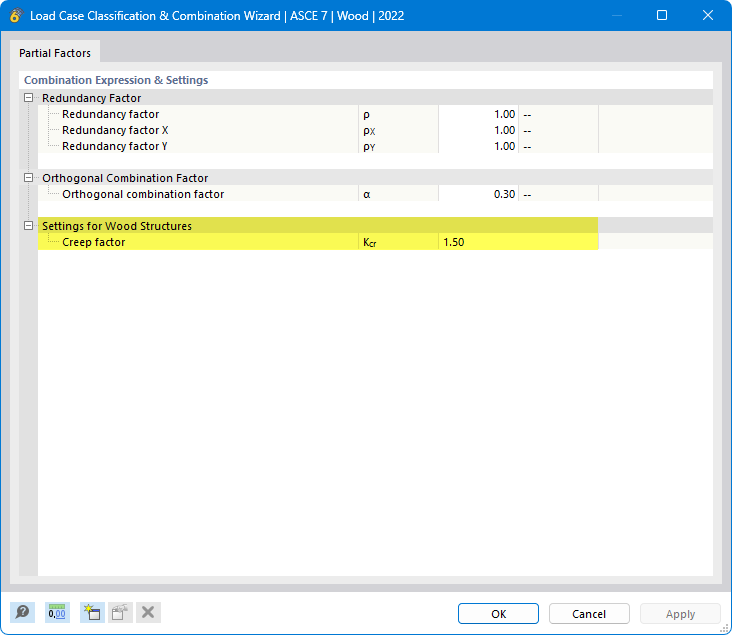
You can adjust the creep coefficient (kdef, Kcr, Kcreep, or φ) for the serviceability limit state design in the parameters of the National Annex or the edition. This dialog box is accessible via the
 button (marked in the image above).
Program Interface
Once you have activated the design add-on and selected the standard, the user interface is expanded to include new entries in the navigator, tables, and dialog boxes. The timber design parameters are thus fully integrated into the program. This enables the design properties for all members, member sets, and surfaces that use a material of the timber type.