The modeling tools presented in the following text allow you to graphically edit model or load objects. First, select the objects using one of the options described in the chapter Selection Options.
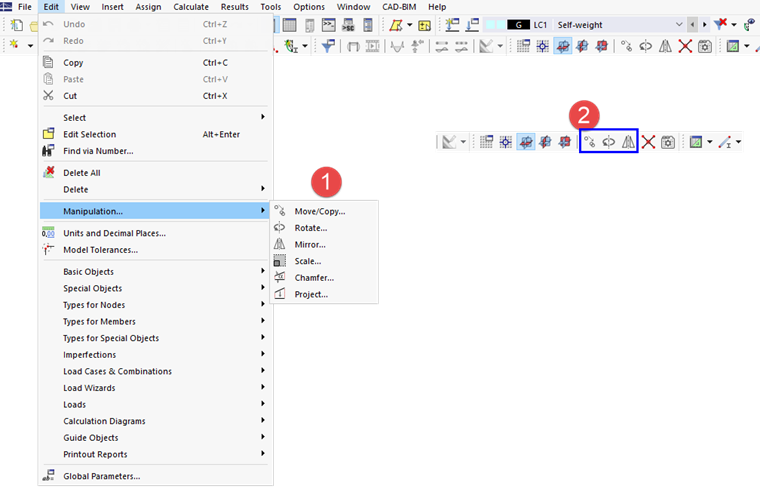
Some modeling tools are available in the Edit menu by selecting the "Manipulation" entry (1). Buttons for the most important functions are also available in the toolbar (2).
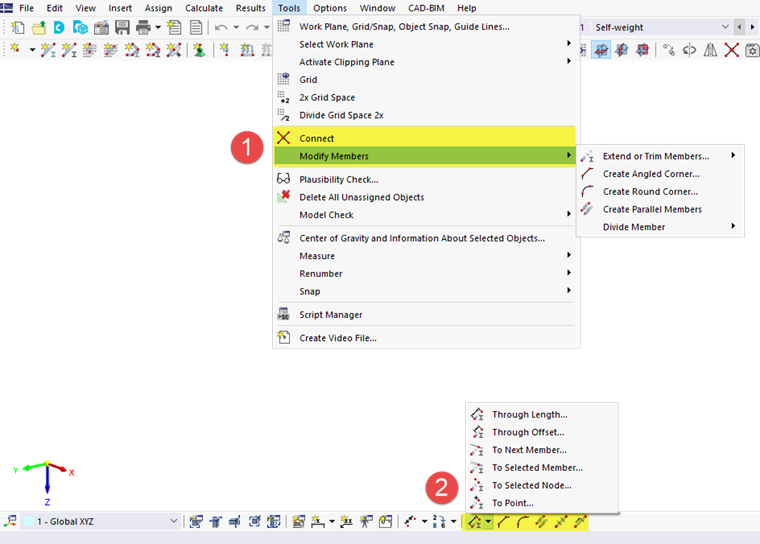
You can access additional modeling functions in the Tools menu (1) or using the buttons in the CAD toolbar (2).