


Two members that connect to each other can be merged ("fused") into one member. The program offers two options.
Node context menu
Right-click the common node. In the node context menu, select the Delete Node function.
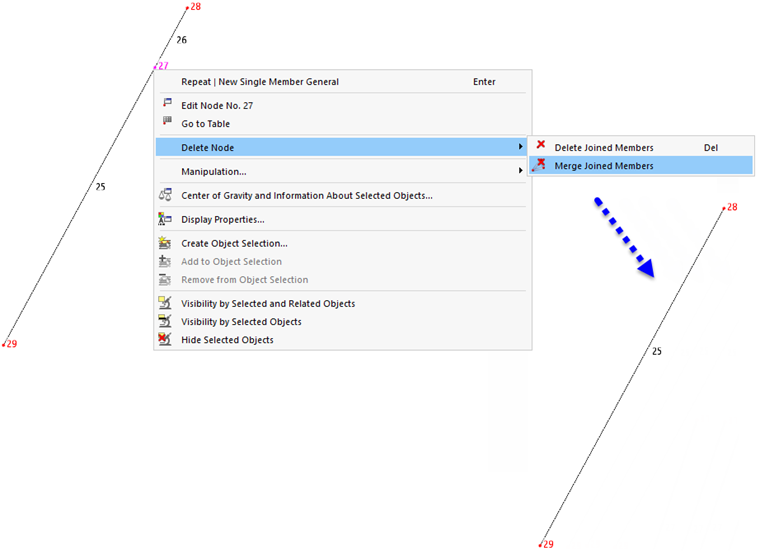
The first option corresponds to deleting with the Delete key: The selected node is removed, and with it the connected members. The Merge Connected Members option, on the other hand, only deletes the node and unites the two members. This option is available for nodes where exactly two members connect.
Menu function
- Select the common node.
- In the Tools menu, call up the function Delete Node and Merge Connected Members.