


In the result tables of the Governing Results category, the internal forces of members, surfaces, and nodes as well as the stresses are listed, which lead to the maximum utilizations of the designed objects.
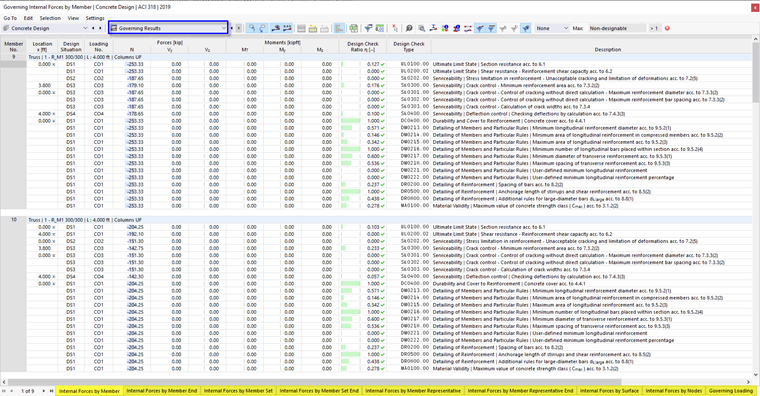
The results are sorted in the tabs according to the following criteria:
- Objects (members, member sets, representatives, member ends, surfaces, nodes)
- Loads (design situations, load combinations)

Filter Results by Limit State
Depending on the filter setting in the Result Table Manager , the results of all or only selected design types will be displayed (for example, only ultimate limit state).
Using the buttons in the table toolbar, you can also directly filter the governing results by ultimate limit state, serviceability limit state, and reinforcement rules. They are accessible if designs for the corresponding limit states exist.
| Button | Function |
|---|---|

|
Shows or hides results for ultimate limit state |

|
Shows or hides results for serviceability limit state |

|
Shows or hides results for reinforcement rules and structural details |
Filter Results by Utilization
The list on the right in the table toolbar provides the option to filter the tables by utilization ratios. With the Max option, only the internal forces that lead to the governing design are displayed for each object.
