Dimensions make an important contribution to understanding the model. Various types of dimensioning are possible, which you can apply in a custom manner.
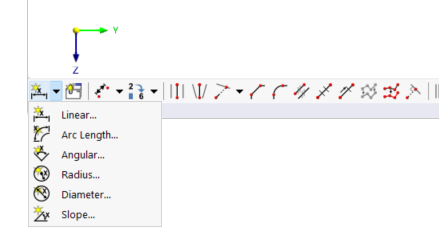
Using the functions of the button
 in the CAD toolbar, you can place dimensions directly on the model.
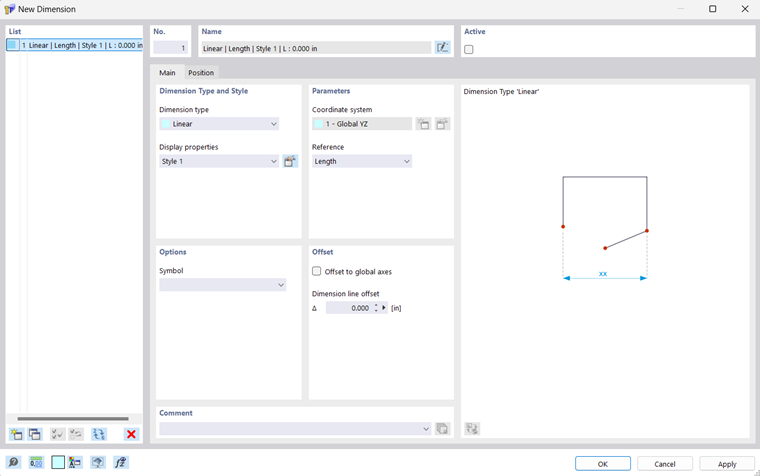
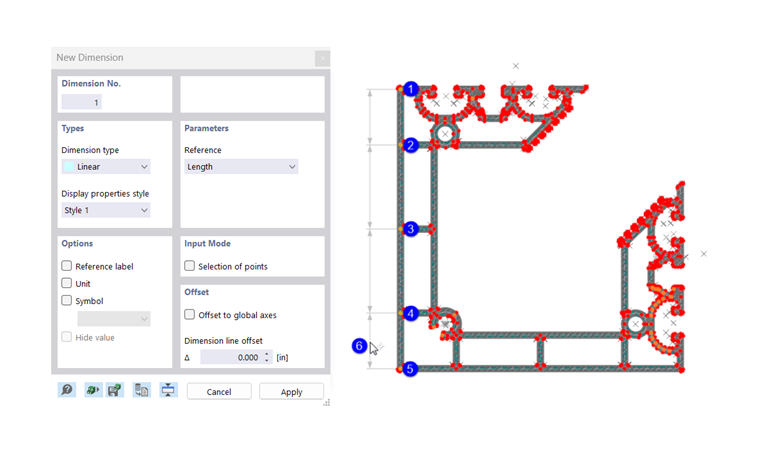
Define the parameters in the 'New Dimension' dialog box. Then click the dimension-defining objects in the work window.
Basis
In the Basis tab, define which type of dimension is involved and how it is to be designed.
Dimension Type and Style
Various 'dimension types' are available in the list. They correspond to the functions of the buttons (see image Buttons for Dimensions).
| Linear | Length(s) between two or more points |
| Arc length | Length between the points of an arc |
| Angle | Angle between three points or between two lines |
| Radius | Circle or arc radius |
| Diameter | Circle or arc diameter |
| Slope | Slope angle between a line and a plane |
The 'display properties' control which dimension symbols and font are used to display the dimension. You can check the current 'style' using the
 button: The 'Display Properties' dialog box appears with a preview of the dimension. There, you can adjust the style for the individual dimension types if necessary.
Options
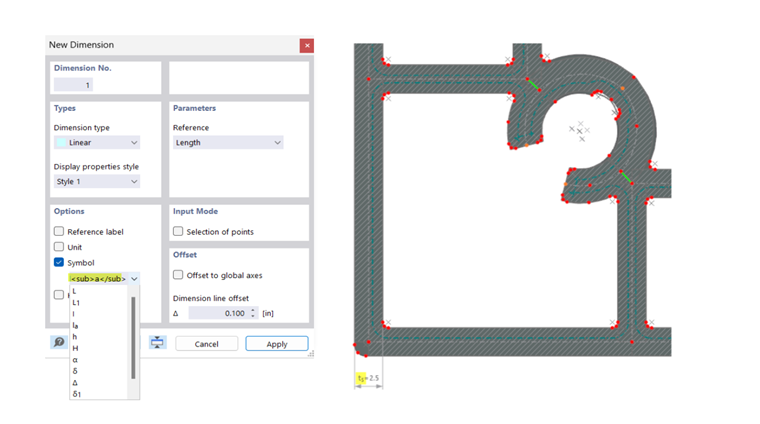
You can supplement the dimension with a dimension symbol. Enter the 'symbol' or select the appropriate entry in the list.
=== Parameters === For length dimensions, you can define the reference parameters in this section. With the 'dimension reference', you can control whether the dimension refers to the true length between the definition points or the projection in one of the global directions. === Offset === The 'dimension line offset' Δ describes the distance of the dimension line from the reference objects. In the button dialog box, you can define this distance graphically (see step (6) in image [[#image032665 Place Dimension Graphically]]). If you activate the 'Offset to global axes' checkbox, you can define the distance of the dimension line with global coordinate reference. == Position == The '''Position''' tab manages the dimension-defining objects and parameters. === Dimension References === The input options in this section depend on the dimension type. For length dimensions, the reference objects are managed in a table: In the 'Type' column, define the type of reference object. Then enter the 'Number' of the point. If the input field is active, you can also define the reference object graphically using the
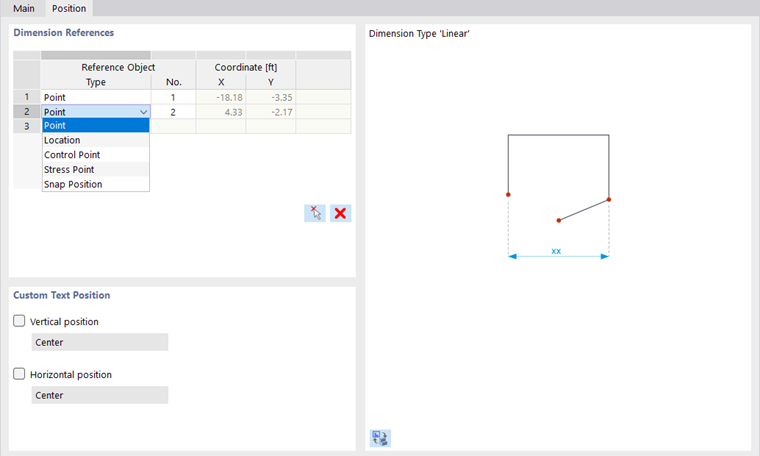
 button. The table thus offers the possibility to reference the dimension line to other points without deleting and redefining the dimension.
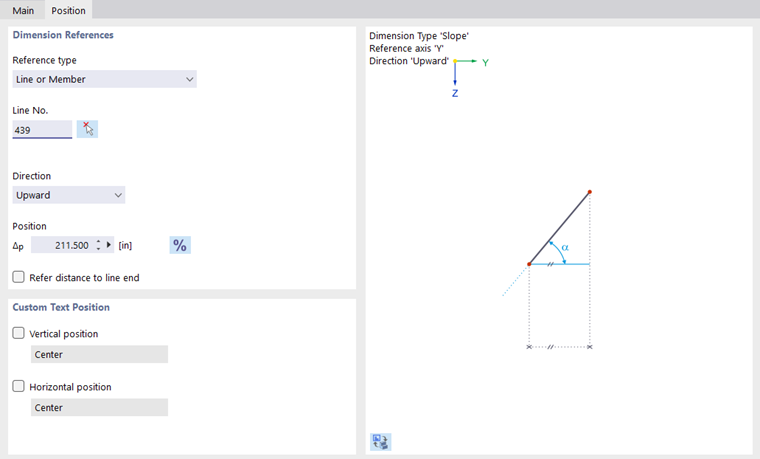
For an angle dimension (type 'Slope'), you can define the determining 'line', the 'direction' of the angle, and the 'position' of the dimension relative to the line start or line end in this section.
=== User-Defined Text Position ===
By default, the dimension text is centered. To adjust the 'Vertical Position' or 'Horizontal Position', activate the corresponding checkbox. You can then select the appropriate position in the list.
== Display of Dimensions ==
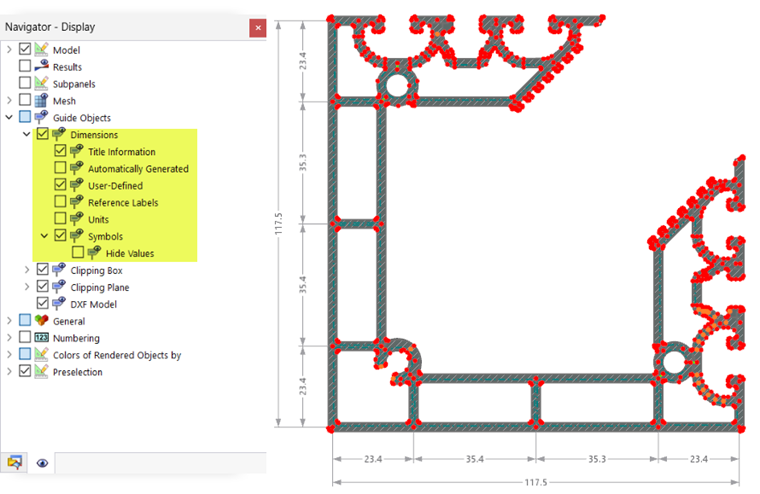
You can show or hide the display of dimensions in the 'Navigator - Display'. In the '''Dimensions''' category, options are also available to influence the display. For example, you can activate the display of units or the [[#symbols symbols]].
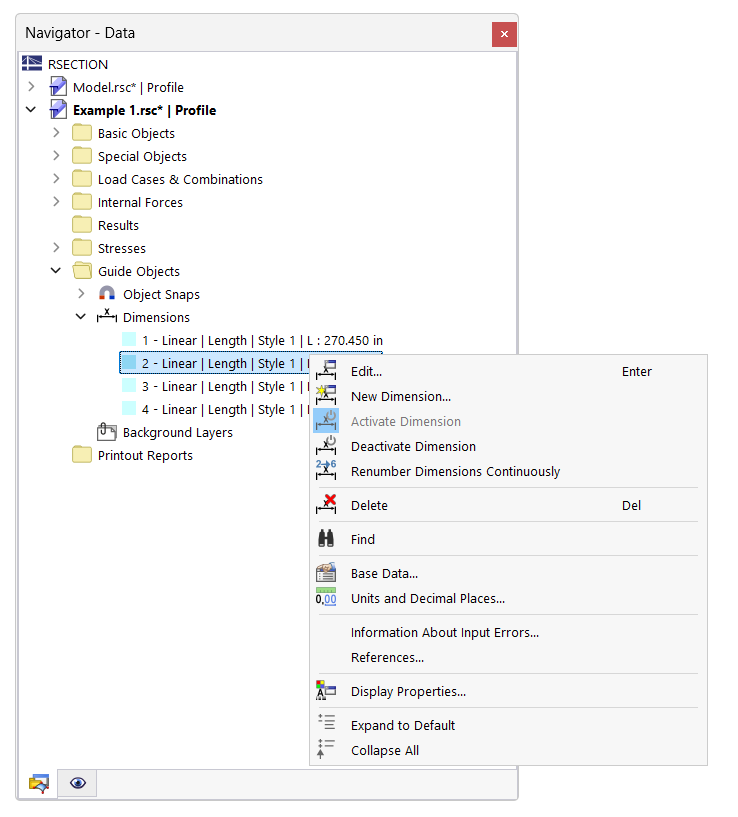
In the 'Navigator - Data', you can control the display of dimensions individually.
Alternatively, use the '''Active''' checkbox in the dialog box (see image [[#image032664 New Dimension]]). Furthermore, functions for deactivating are available in the context menu of the dimensions.
button. The table thus offers the possibility to reference the dimension line to other points without deleting and redefining the dimension.
For an angle dimension (type 'Slope'), you can define the determining 'line', the 'direction' of the angle, and the 'position' of the dimension relative to the line start or line end in this section.
=== User-Defined Text Position ===
By default, the dimension text is centered. To adjust the 'Vertical Position' or 'Horizontal Position', activate the corresponding checkbox. You can then select the appropriate position in the list.
== Display of Dimensions ==
You can show or hide the display of dimensions in the 'Navigator - Display'. In the '''Dimensions''' category, options are also available to influence the display. For example, you can activate the display of units or the [[#symbols symbols]].
In the 'Navigator - Data', you can control the display of dimensions individually.
Alternatively, use the '''Active''' checkbox in the dialog box (see image [[#image032664 New Dimension]]). Furthermore, functions for deactivating are available in the context menu of the dimensions.