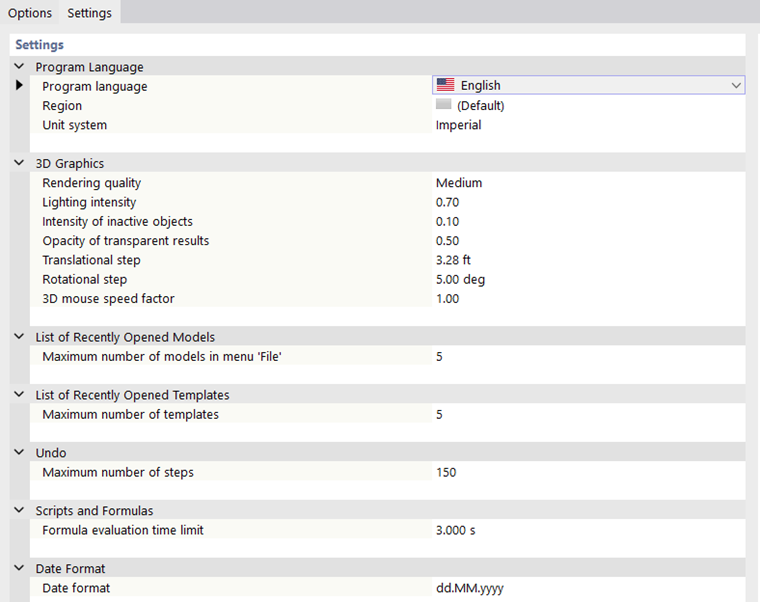
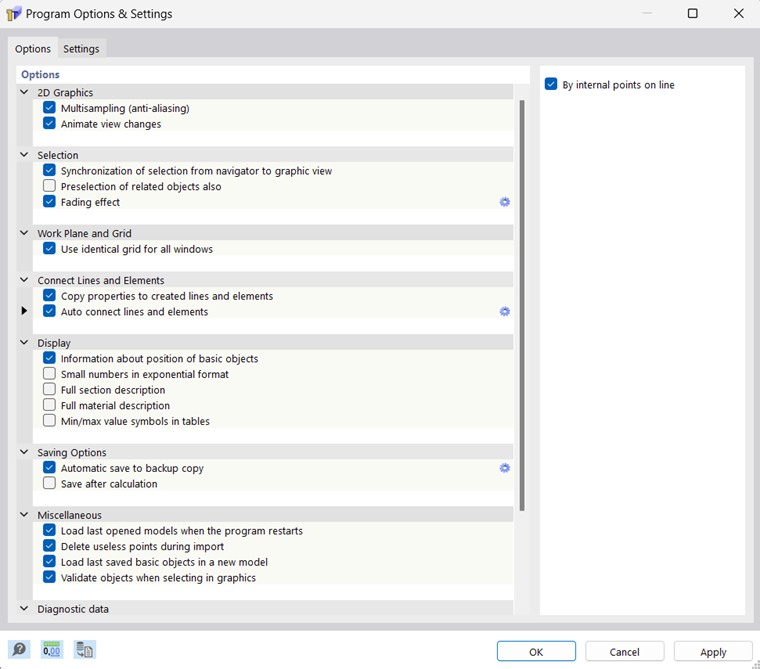
Important program setting options are managed in the "Program Options & Settings" dialog box. You can open this dialog box using the menu Options → Program Options.
The dialog box consists of two tabs.
Options
In the Options tab, you can make settings for the graphical input and display, among other things. For some functions, advanced settings can be accessed by clicking the
 button (see the image Program Options and Settings) so that you can adjust the parameters.
The individual options will not be explained further here. However, two functions deserve special attention.
Auto Connect Lines and Elements
Lines and elements are automatically connected by default as soon as they cross each other when placed. The connection of lines is set up by internal points of the "On Line/Member" type. This keeps the line intact. Deactivate the option to split the line. However, elements are always split when the “Automatically connect lines and elements” option is active.
Automatic Save to Backup Copy
RSECTION creates a backup copy at regular intervals and saves it in the project folder of the model. This backup may be useful if the program quits unexpectedly. A backup copy is also created before each calculation.
Settings
In the Settings tab, you can define, among other things, the program language, the unit system, and the date format, as well as the specifications for the 3D graphics of the model.