


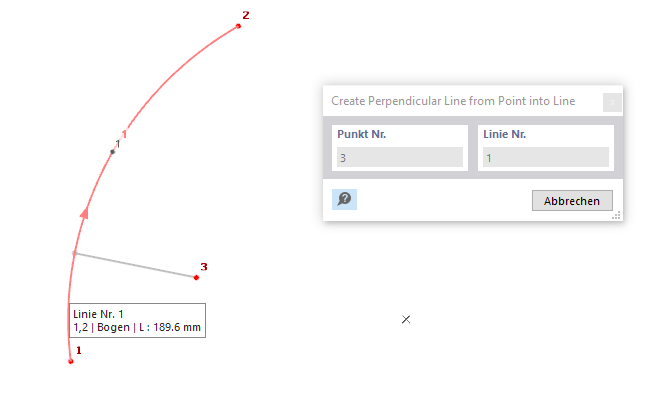
To create a perpendicular line from a point to a line, click the button
 and select the point and then the line. If there are multiple possible perpendicular lines to the selected line, the one closest to the mouse pointer is created. Alternatively, use the button
 in the CAD toolbar.
Program Functions
- Work Planes and Grids
- Selection Options
- Visibilities
-
Modeling Tools
- Move and Copy
- Rotate
- Mirror
- Scale
- Middle Elements Between Parallel Lines
- Automatically Create Elements
- Create Line Elements
- Connect Lines and Elements
- Auto Split Elements
- Automatic Regeneration During Element Modification
- Set Centerlines
- Set Center Lines | Angle Axis
- Extend or Trim Lines/Elements
- Angle Corner
- Round Corner
- Parallel Lines/Elements
- Divide Lines / Elements
- Explode Polyline into Lines
- Join Lines
- Perpendicular from Point to Line
- Divide Part with Intersecting Lines
- Delete Parts Under Elements
- Generate Parts Below Elements
- Merge Parts
- Measure
Perpendicular from Point to Line
Parent Chapter