


With the reinforcement set type Area | Design strip, you define the reinforcement of design strips. The reinforcement is defined area-related, that is, by rebar spacing and rebar diameter per meter of width, on the top and bottom side. The entries are distributed over the Reinforcement bars and Additional reinforcement bars tabs.
"Reinforcement Bars" Tab
In the Reinforcement bars tab, you define the material, arrangement, and basic reinforcement of the reinforcement set.
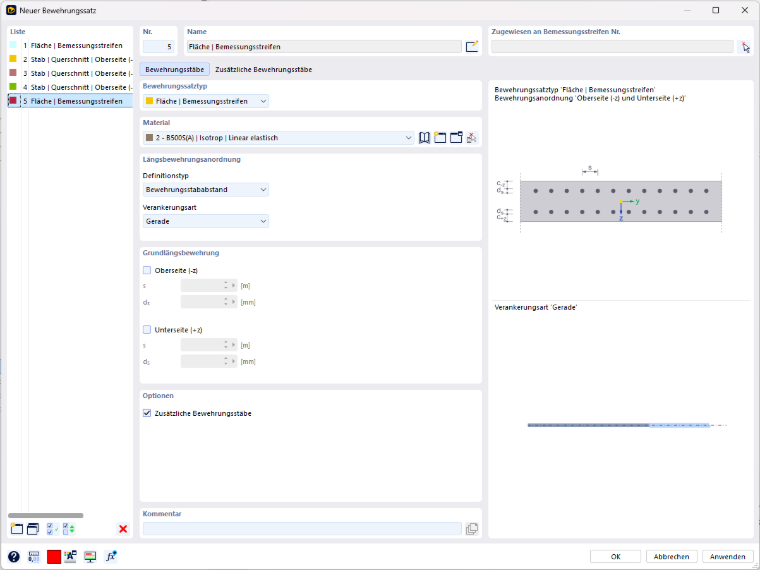
Longitudinal Reinforcement Arrangement
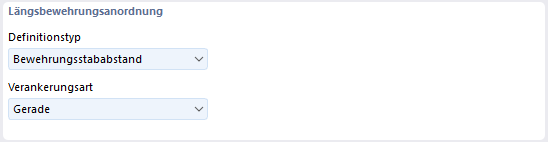
The Definition type determines by which parameters the basic longitudinal reinforcement is entered:
- Rebar spacing: The reinforcement is defined by the rebar spacing s and the rebar diameter ds.
- Number of rebars: The reinforcement is defined by the number of bars and the rebar diameter ds.
The input fields in the Basic longitudinal reinforcement section adapt to the selected definition type.
The Anchorage type determines how the reinforcement bars are designed at their ends. With the 'Straight' option, the bars end without bending.
Basic Longitudinal Reinforcement
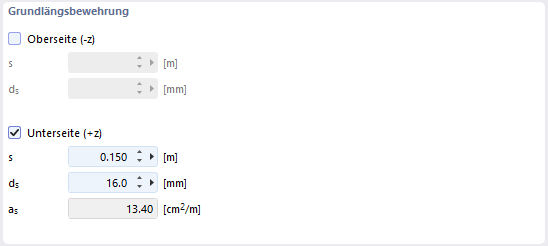
Activate the check boxes of the faces on which a basic reinforcement is present:
- Top side (-z): face in the direction of the negative local z-axis
- Bottom side (+z): face in the direction of the positive local z-axis
For each activated face, enter the rebar spacing s and the rebar diameter ds. The program determines the reinforcement area as per meter of width from this:
\[ a_s = \frac{\pi \cdot d_s^2}{4 \cdot s} \]
For a reinforcement Ø16 at a spacing of 15 cm, for example, as = 13.40 cm²/m results. If a check box is deactivated, the input fields of the respective face are locked.
Options
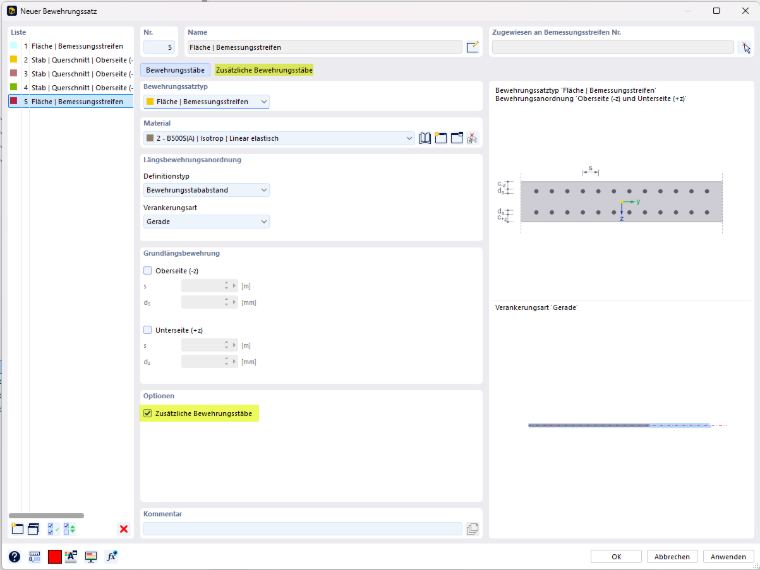
With the Additional reinforcement bars check box, you can define additional reinforcement bars besides the basic reinforcement. If the check box is activated, the Additional reinforcement bars tab appears next to the Reinforcement bars tab.
"Additional Reinforcement Bars" Tab
In this tab, you define how an additional reinforcement that is required beyond the basic longitudinal reinforcement may be arranged.
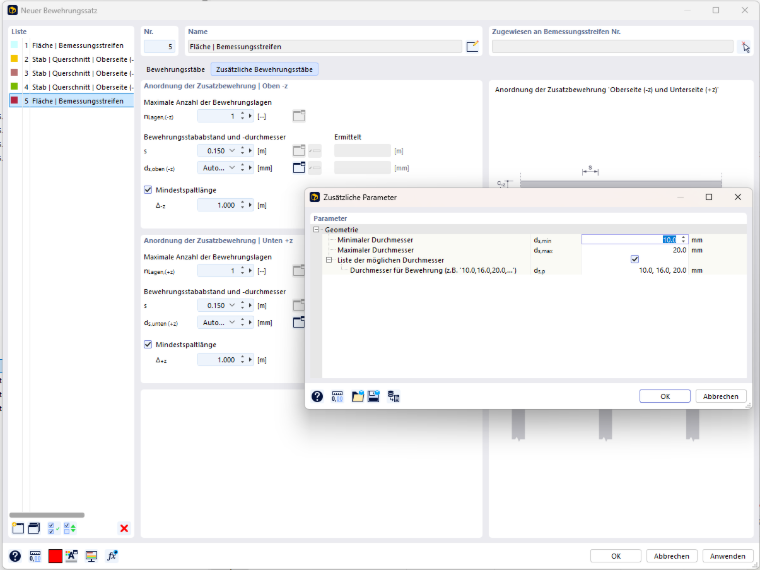
The entries are made separately for the top side in the Arrangement of additional reinforcement | Top -z section and for the bottom side in the Arrangement of additional reinforcement | Bottom +z section. Both sections are structured identically.
Maximum Number of Reinforcement Layers
With nLayers,(-z) or nLayers,(+z), you specify in how many layers the additional reinforcement may be arranged at maximum on the respective face.
Rebar Spacing and Diameter
For the additional reinforcement, define the rebar spacing s and the rebar diameter ds,top (-z) or ds,bottom (+z). You can select both values from the list or enter them directly. With the 'Automatic' setting for the rebar diameter, the program selects the diameter itself during the design.
For the automatic selection of the diameter, define the limits in the Additional parameters dialog, which you open using the button to the right of the input field for ds:
- Minimum diameter ds,min and Maximum diameter ds,max: range within which the program selects the rebar diameter
- List of possible diameters: If the check box is activated, the program uses only the values specified under Diameters for reinforcement ds,p. Enter the diameters separated by commas, e.g. '10.0, 16.0, 20.0'.
The list is preassigned with the standard diameters for the longitudinal reinforcement defined in the global settings. If you enter other diameters in the dialog, the values from the reinforcement set dialog apply to this reinforcement set.
In the Determined column, the values for s and ds that the program has determined for the additional reinforcement are displayed. These fields cannot be edited.
Minimum Gap Length
If you activate the Minimum gap length check box, use Δ-z or Δ+z to specify how long a gap between two areas of the additional reinforcement must be at minimum. If the distance between two areas is smaller, the additional reinforcement is arranged continuously.
The graphic on the right in the dialog illustrates the minimum gap length using the example of a top additional reinforcement over the supports of a continuous beam.