


RSECTION uses a working directory to store temporary project data. By default, this working directory is located in the user data folder. To check the file path, open the Options menu and select Program Options. In the “Program Options and Settings” dialog box, switch to the Settings tab.
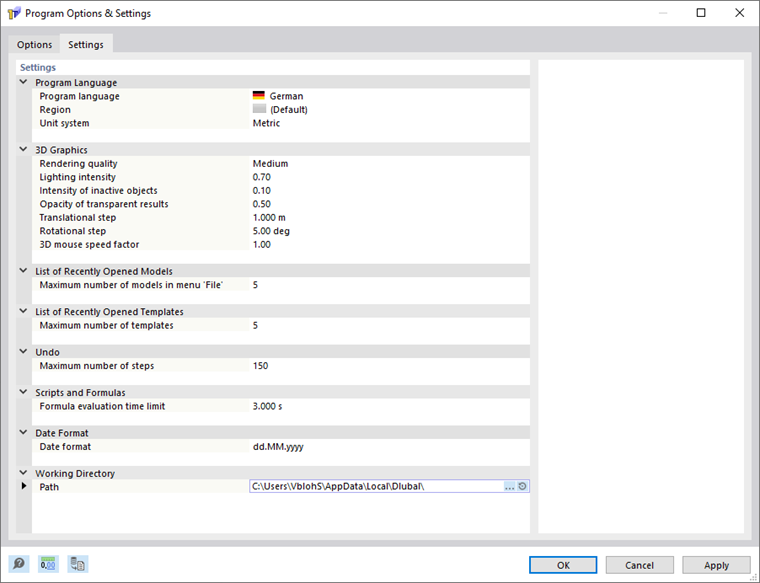
In the “Working Directory” category, you can view the path of the working directory. If you wish to change the working directory folder, you can specify a different path here.
Function of Working Directory
A subfolder is automatically created in the working directory for each installed program version. When you start a program, a temporary directory for the program instance is created in this folder. When a model is opened, the (compressed) *.rsc file is extracted there into its own folder. RSECTION then works with this data. When the program is closed, the contents are compressed back into a *.rsc file in the project folder and the temporary directory is deleted.