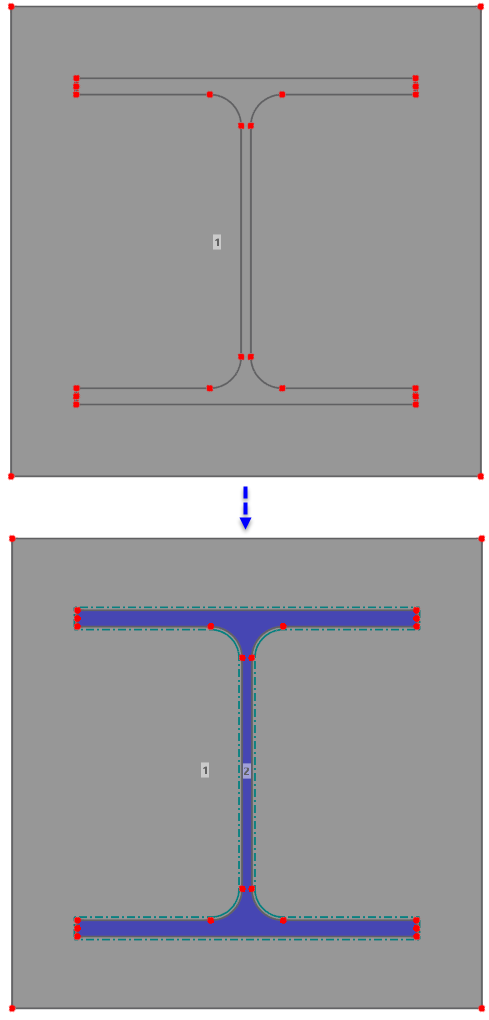
Parts can be split either with all available cut lines or only with selected cut lines.
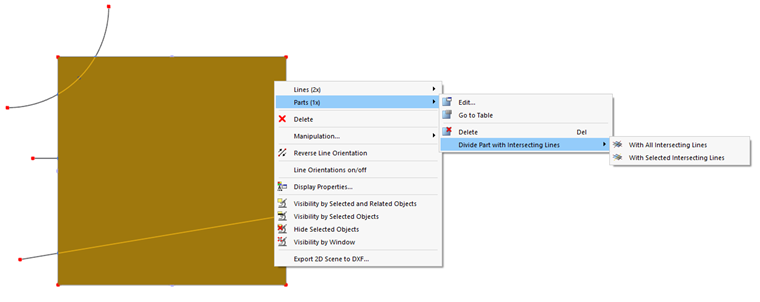
To split a part with all cut lines, select the part and choose the With all cut lines command in the shortcut menu. Alternatively, you can call the function via menu Extras → Modify parts or use the
 button in the CAD toolbar.
The function can also be started first without selecting a part – either via menu Extras → Modify parts → With all cut lines or by using the
button. A dialog then appears in which you can select the parts to be split.
If the part is to be split only with specific cut lines, first select the part and the corresponding cut lines and then choose the With selected cut lines command in the shortcut menu.
RSECTION creates openings in the part and defines the resulting areas as new parts. The material is inherited from the original part and can then be adjusted.
The following figure shows a section with an integrated area that is created as a new part by splitting.