The result diagrams in section represent the stress state in the concrete cross-section and the reinforcing bars. To access this representation, click the
 button. It is available in the result tables of the "Concrete Design" category for member objects, but not for surfaces.
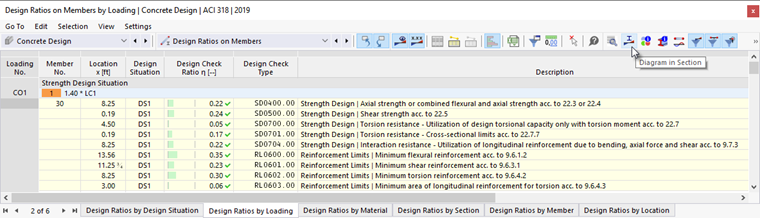
The "Result Diagrams in Section" window appears.
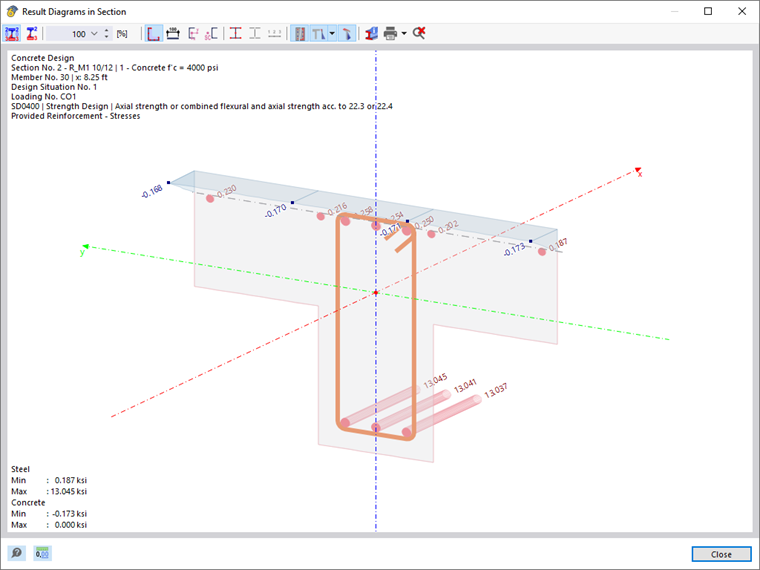
The graphic shows the concrete stress state and the rebars available for the result of the current table row.
You can control the graphic as usual with your mouse. It is also possible to adjust the result display by using the buttons in the toolbar. The buttons have the following functions:
| Button | Function |
|---|---|

|
Shows values in all stress points and rebars |

|
Shows the extreme values of positive and negative stresses only |

|
Allows for the stress distribution scaling by factor in [%] |

|
Shows the section outline |

|
Shows dimensioning |

|
Shows the axis system |

|
Shows the shear center |

|
Shows the stirrup reinforcement |

|
Shows the graphic in the perspective projection |

|
Opens the "Information About Section" window |

|
Allows for printing the current graphic |

|
Shows a full view of the result diagrams in section |
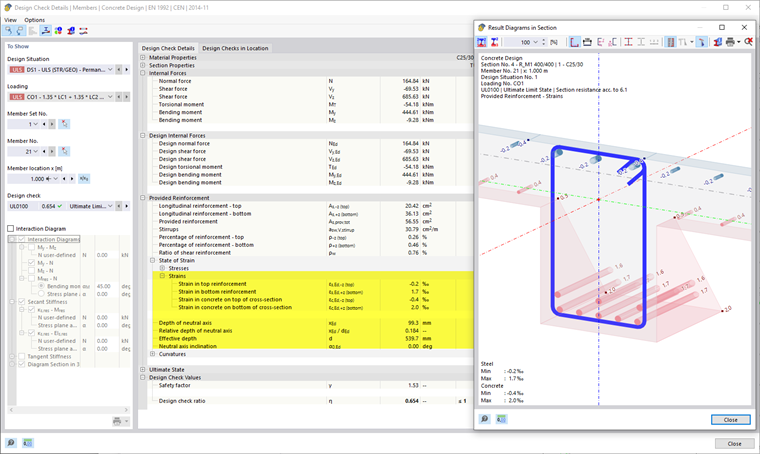
To display the strains of the cross-section and reinforcement, open the Design Details dialog box of the same table row (without closing the result diagrams). Select one of the rows for the strains in the "Provided Reinforcement" → "State of Strain" category.
Cross-Section Properties for Shear Design
You can use the Effective Cross-Section Properties button in the toolbar to display additional values in the graphic. These values are used for shear design and refer to the direction of the shear force VEd.
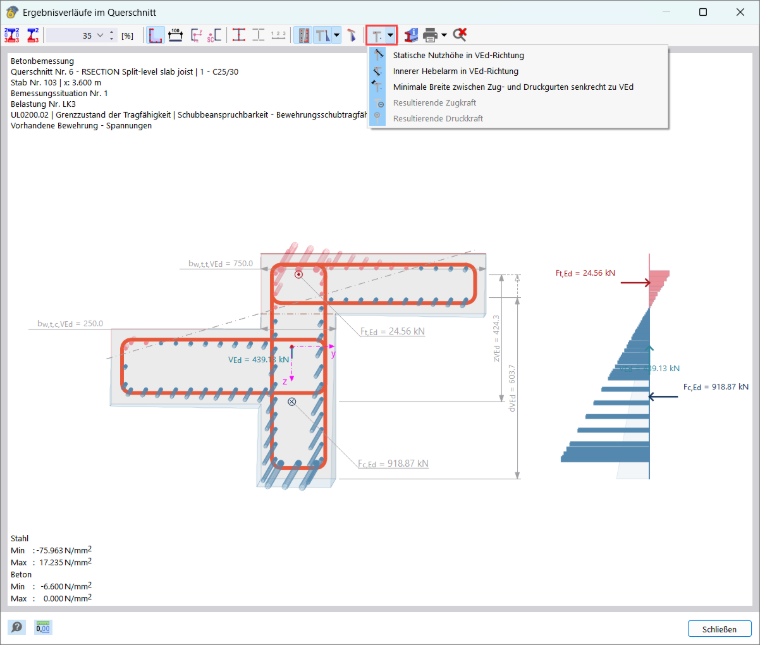
- Static effective depth in the VEd direction: Shows the static effective depth dVEd in the direction of the applied shear force. It is displayed as a dimension from the compressed edge to the center of gravity of the tension reinforcement.
- Internal lever arm in the VEd direction: Shows the internal lever arm zVEd in the direction of the applied shear force. It corresponds to the distance between the resultant tensile force and the resultant compressive force.
- Minimum width between tension and compression flanges perpendicular to VEd: Shows the smallest cross-sectional width perpendicular to the direction of the shear force, separately for the tension flange (bw,t,VEd) and the compression flange (bw,c,VEd).
- Resultant tensile force: Shows the location and magnitude of the resultant tensile force Ft,Ed in the cross-section.
- Resultant compressive force: Shows the location and magnitude of the resultant compressive force Fc,Ed in the cross-section.
Graphic Printout
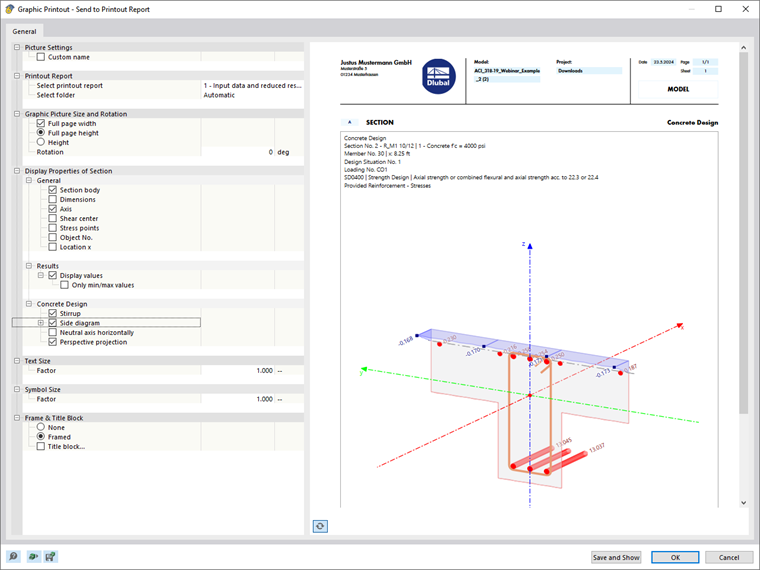
Use the list button
to directly print the current graphic, save it as a PDF, or transfer it to the printout report. You can also specify the details to be displayed in the print preview.