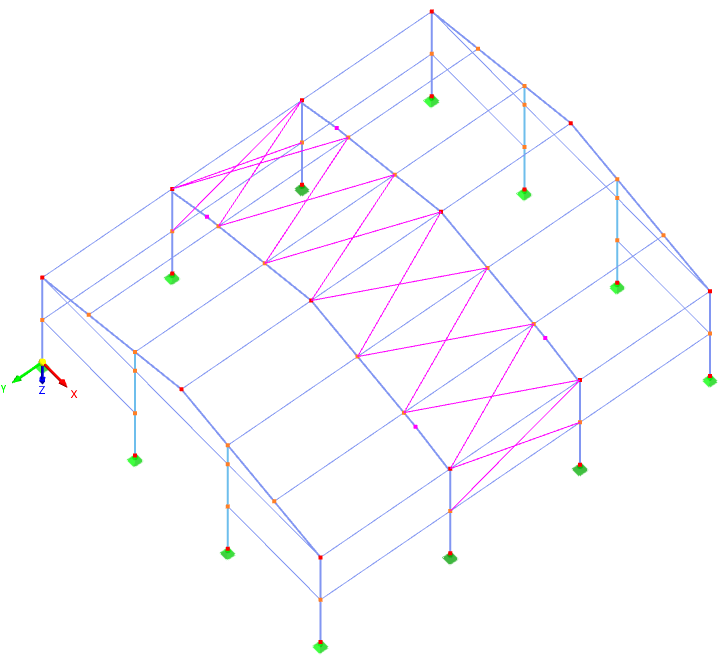
You can use the Generate Bracing in Cells function to quickly create diagonals for beam structures. The members have to form what is known as a "cell", which is an area in a plane formed by four corner nodes and enclosed on all sides by members.
You can access this function by selecting Tools → Generate Model – Members in the menu. The "Generate Bracing in Cells" dialog box appears.
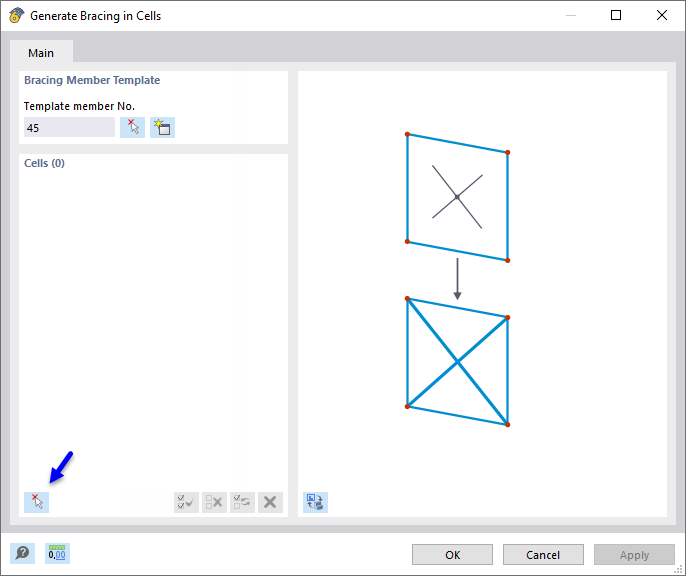
In the "Bracing Member Template" section, define a template member whose cross-section and member type you want to use for the diagonals. You can use the
 button to select the member graphically in the work window.
Then, click the
button at the bottom of the "Cells" section (highlighted in the image above). In the graphic, all cells that the program recognizes in the model are now marked with a cross.
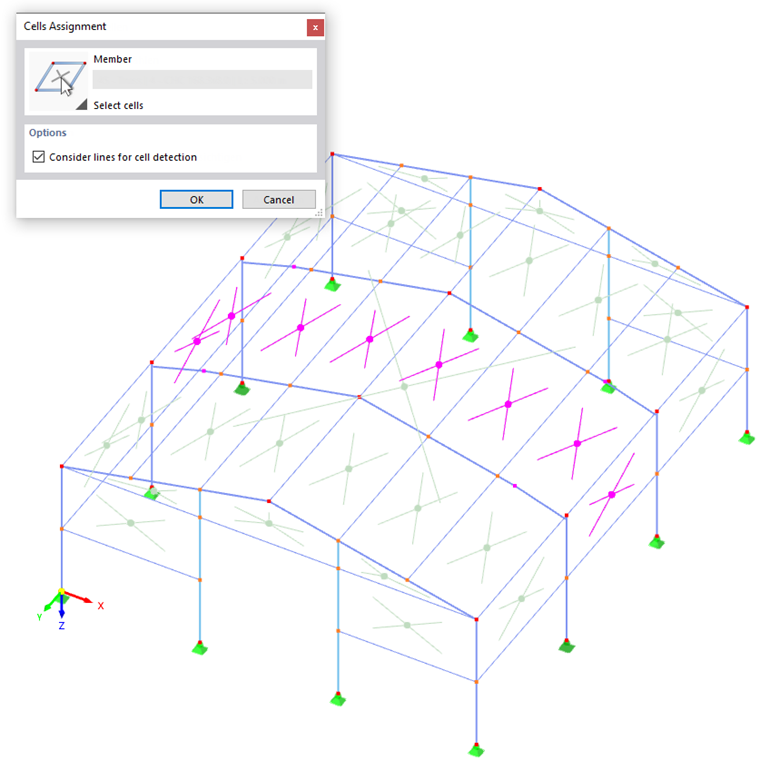
Click the relevant cells one by one so that they are displayed in the selection color. Click OK to return to the initial dialog box.
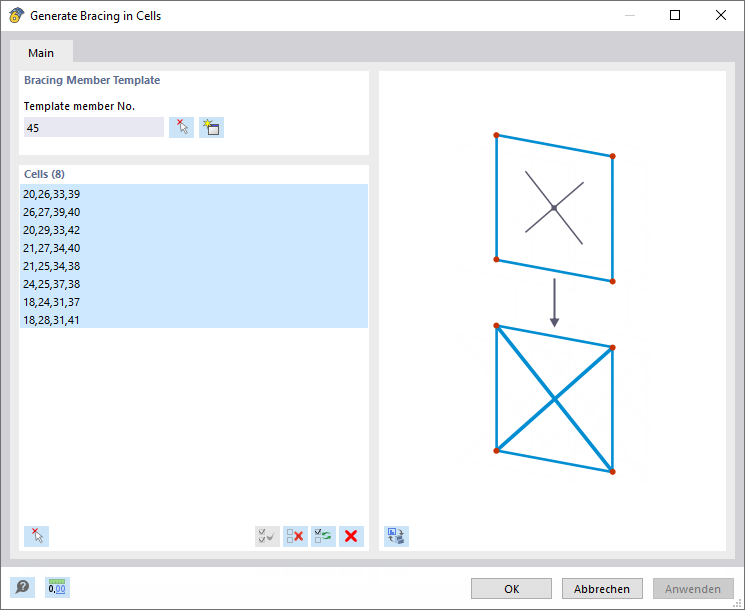
The selected cells are recorded in a list. If necessary, you can still make changes here. After clicking OK, the program creates the bracings in the specified areas.