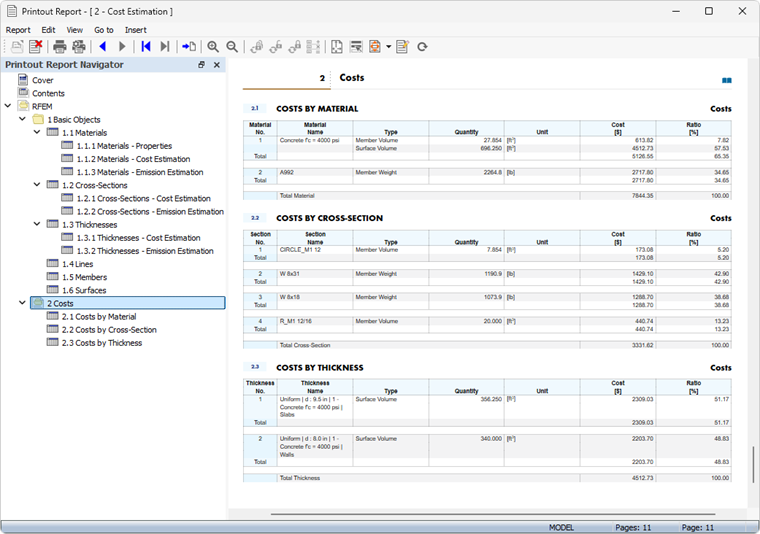
The Costs table category contains one or more result tables summarizing the expected costs of the model.
Costs by Material
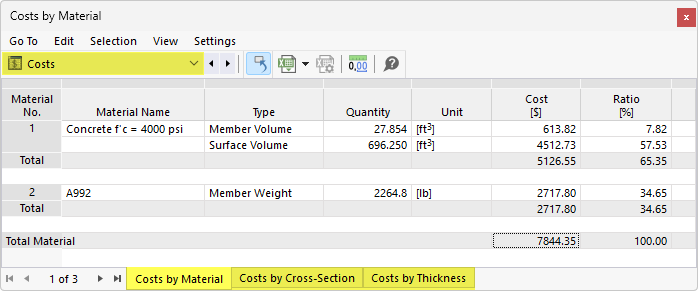
The Costs by Material table shows the allocation of costs by materials used in the objects. Each material is listed along with its associated costs. This enables a quick analysis of material costs for quotes and cost estimates.
The table is based on the specifications available for the cost estimation of the individual materials.
The “Quantity” column shows the number of units available. The proportional costs are derived from the unit costs of the units.
The “Ratio” column shows the component of the total cost of all materials that a material accounts for in relation to the objects (members, surfaces, solids).
The last row for a material indicates the “Total” cost of that material. The table concludes with the sum of the costs for the “Total Material,” that is, the total cost of all materials.
Costs by Cross-Section / Thickness
For all cross-sections and thicknesses that you have enabled for cost estimation, you can analyze the component costs in additional tables.
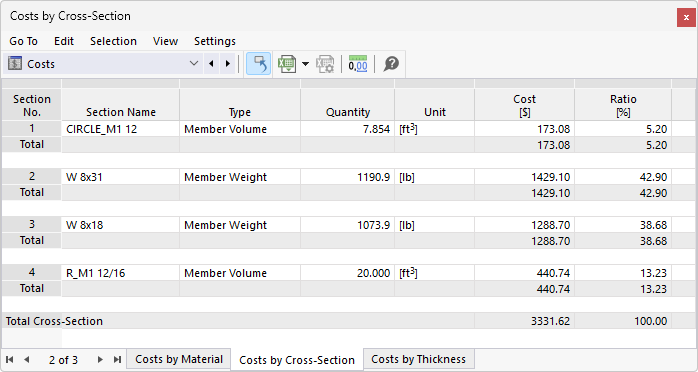
The Costs by Cross-Section table lists the cost allocation by cross-section in an organized manner. The proportional costs are derived from the unit costs of the units and quantities. The Ratio column shows the component of the total cost that a cross-section represents relative to the total cost of all cross-sections. The table concludes with the total cost for the “gross cross-section,” that is, the total cost for all cross-sections.
Similarly, the table Costs by Thickness lists the costs for each thickness type.
Printout
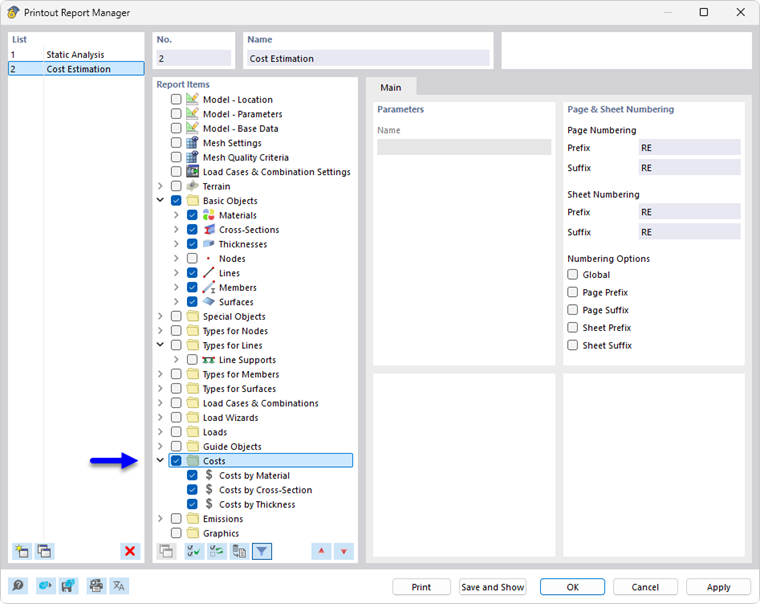
Like the other RFEM categories, the cost estimation can be included in the printout report and used for documentation purposes. To do this, select the Costs category in the Printout Report Manager.
In the print preview of the printout report, you can review the data, arrange it as needed, and add comments.