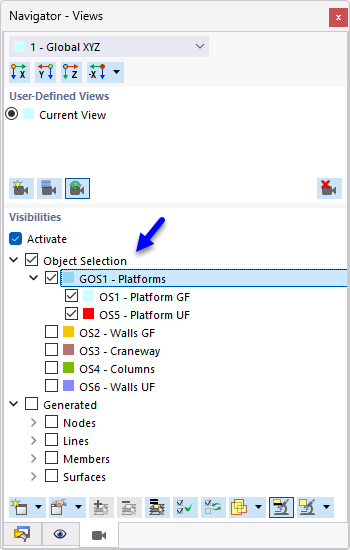
Groups of object selections (GOS) are collections of multiple object selections with similar properties. This allows you to select, edit, or evaluate object selections at the same time.

The “Assign” column lists all object selections that you have created. To transfer an object selection to the “Assigned Object Selections” list, you have the following options:
- Double-click the entry.
- Select the object selection or multiple entries while holding down the Ctrl key. Then, click the button.
You can use the groups of object selections in the Visibilities in the Navigator – Views to display specific objects in the work window.