


In the Add-ons tab, you define which analyses and designs are to be performed for the model. You can also see the program extensions you have purchased or that are available as trial versions here.
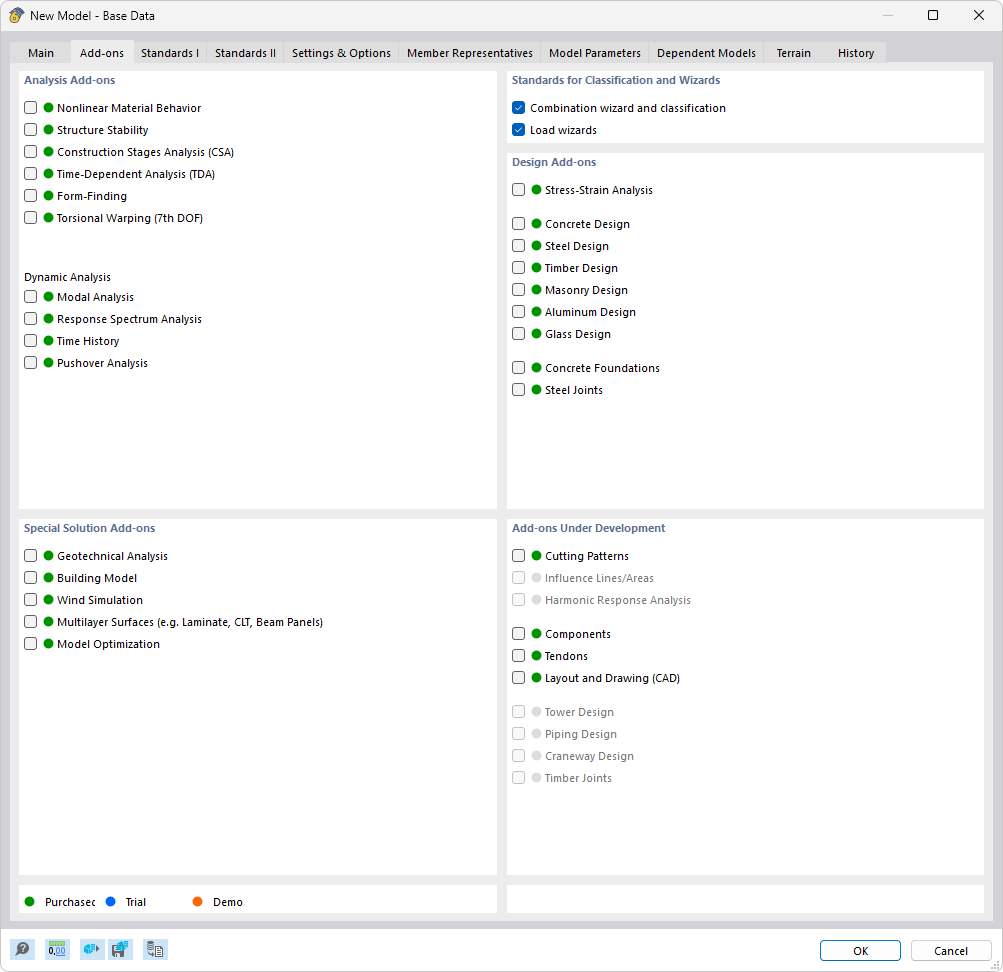
Select an add-on to activate it. This makes additional functions available for objects, such as input options for design-relevant parameters like effective lengths, transverse stiffeners, or extended calculation options such as torsional warping, stability, or dynamic analyses.
Add-ons marked with an orange dot are only available in demo mode.
The Analysis add-ons allow extended analyses of the model, and the Design add-ons enable material-specific designs according to the standards specified in the Normen l tab. Special solution add-ons are used for special analyses.
The two check boxes in the Standards for classification and wizards section are activated by default. This means that the Combination wizard and the Load wizard are used to combine load cases and to generate wind and snow loads.
The Add-ons in development section contains program extensions that are in the development stage and should only be used for testing purposes.