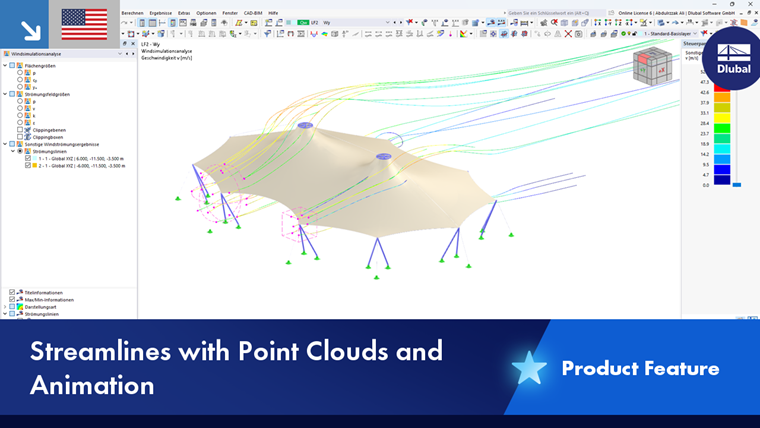
Point clouds allow for a flexible display of streamlines in wind simulation analysis. They can be used to define points that are distributed randomly or uniformly in 3D space across areas of the model. These points represent so-called “seed points” (also known as “start points” or “seeding points”) of a regular or irregular grid within a user-defined area. From these starting points, the streamlines are calculated to visualize a flow field. The placement of these points determines which flow structures are visible (vortices, separation zones, stagnation points).
Defining Point Cloud
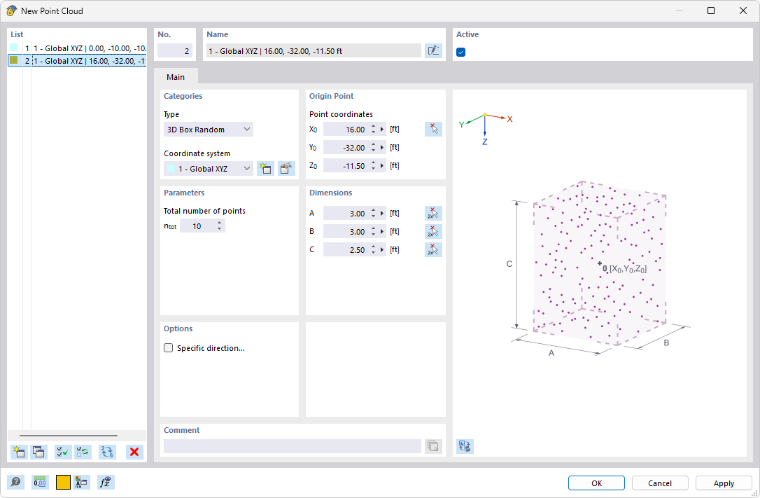
Categories
Select the “Type” of the point cloud from the list. Several geometric shapes and options are available:
- 3D Box Random: Spatial arrangement of random points in a rectangular prism
- 3D Box: Spatial arrangement of regular points in a rectangular prism
- Rectangle: Planar arrangement of regular points in a rectangle
- Segment: Uniform arrangement of points along a line
- Sphere: Spatial arrangement of uniformly distributed points in a sphere
- Circle: Planar arrangement of uniformly distributed points in a circle
Parameters
Specify the “Total number of points” to be generated in the point cloud. For an even distribution within a 3D box or rectangle, you can also specify the number of points for each direction.
Origin Point
Specify the “Point coordinates” that represent the center of the point cloud. You can also define this point graphically using the
 button.
Dimensions
The input options are adapted to the point cloud type. For a 3D box, the size of the cuboid is described by the dimensions measured symmetrically from the center in each of the three directions. You can also use the
 button to define the distances graphically in the work window. For a sphere or a circle, specify the radius.
Options
If you check the “Specific direction” check box, you can align the point cloud independently of a coordinate system. Define the parameters in the “Specific Direction” tab (see the chapter Nodal Support).
Using Point Clouds
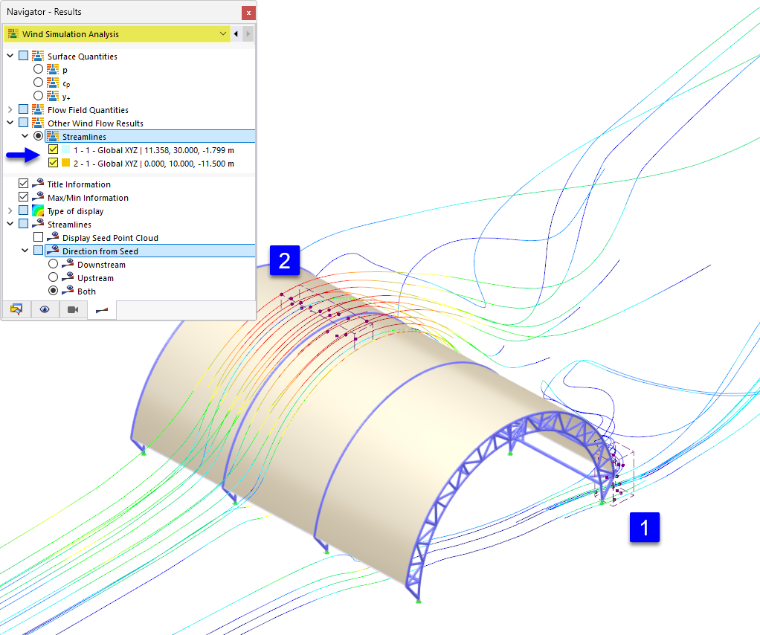
The points in a point cloud form the basis of the streamline display. You can also define multiple point clouds to simultaneously display and analyze the streamlines in independent partial areas. After the wind simulation analysis, the results for the point clouds are available; you can activate them for display in the “Navigator – Results” section.
Streamlines of Point Clouds
In the Other Wind Flow Results category, you can control which streamlines are displayed graphically:
- If the user-defined point cloud is not activated, the results for the general seed points in the wind tunnel are displayed. These are generated using an algorithm based on specific criteria.
- If you check one or more point clouds, the results for the specific seed points within those areas are displayed.
Under the Direction from Seed category in the lower navigator section, you can specify which streamlines are displayed starting from the seed points:
- Downstream: In the wind direction
- Upstream: Against the wind direction
- Both: Downstream and upstream
Animation of Streamlines
The streamlines of point clouds can also be displayed as animations. Click the
 button in the toolbar to visualize the wind flow as an animation in the model.
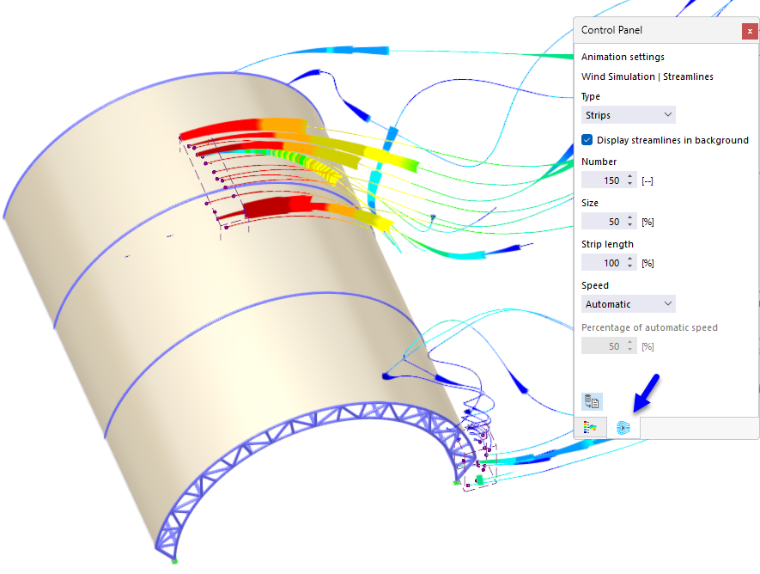
In the second tab of the control panel, you can adjust the animation settings, such as the number, size, and length of the strips and the animation speed. The streamlines can be displayed not only as strips but also as particles.